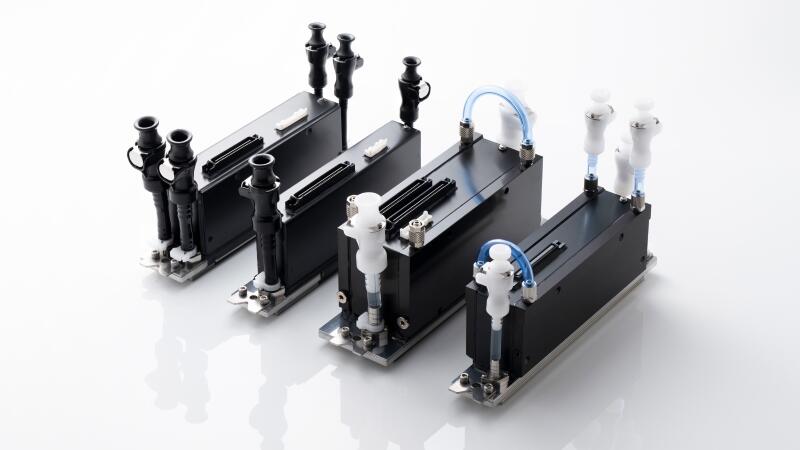
In order to keep the Kyocera inkjet print head in excellent printing condition at the production site and maximize its service life, it is crucial for the on-site operator to properly wipe the printhead nozzle surface, replace ink, and store it during holidays.
Let's start with the nozzle surface wiping method and then introduce it step by step in the future.
Before the printing equipment officially prints, or when poor printing occurs during production, the nozzle surface of the printhead needs to be wiped. The correct wiping method can extend the service life of the printhead and ensure excellent printing quality.
How to Wipe the Nozzle Surface of Kyocera Printhead?
Each time before wiping the nozzle surface of the Kyocera inkjet print head, the ink in the printhead must be pressed.
(Note: If the ink in the printhead is not pressed before wiping, there is a risk of air entering the nozzle after wiping.)
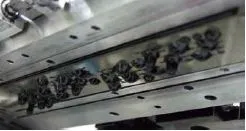
Next, wipe the nozzle surface.
There are two ways to wipe the nozzle surface:
1. The rubber wiper on the device automatically scrapes the ink
(Note: A clean rubber wiper must be used.)
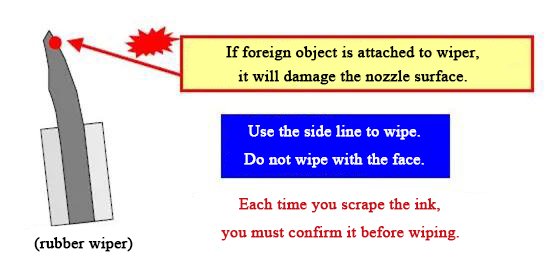
Note that the specifications of the scraper blades for water-based ink and UV ink are different.
When using a wiper blade to automatically scrape ink, please pay attention to the following matters:
- Before using the wiper blade, you need to confirm the match between the wiper blade and the printhead.
- When scraping ink, please be sure to press the ink before scraping it.
- If you use a wiper blade other than Kyocera specifications, foreign matter mixed in when scraping ink will cause damage to the hydrophobic film on the nozzle surface, which can easily lead to blockage of the nozzles.
⒉ Manually Wipe with Non-Woven Fabric
① How to wipe the Kyocera water-based printhead
Please wear rubber gloves to avoid direct contact with the ink.
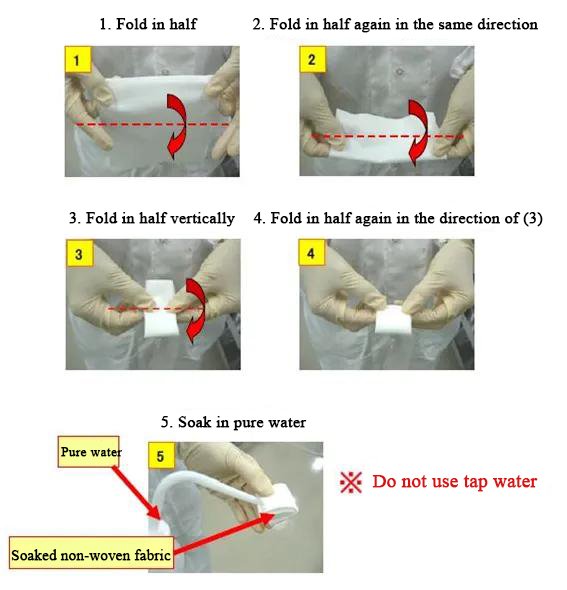
Fold the non-woven fabric according to the following steps and soak it with pure water.
② How to wipe the Kyocera UV printhead
Please wear nitrile gloves to avoid direct contact with the ink.
The folding method of the non-woven fabric is the same as the folding steps of the non-woven fabric for wiping the water-based printhead above.
Please do not soak the non-woven fabric; you can use it directly.
In addition, if there is residual ink on the nozzle surface of the Kyocera inkjet print head after scraping the ink, please press a small amount of ink before wiping it again.
After scraping the ink, please confirm that the ink has been completely wiped off.