In industrial inkjet printing, ink is more than just a consumable—it directly affects print quality, equipment reliability, and production costs. Whether you operate a DTF printer, UV printer, eco-solvent printer, or digital textile printer, ink-related issues can lead to downtime, wasted materials, and customer complaints.
This guide covers eight of the most common ink system problems and practical solutions to keep your printer running smoothly.
Printhead Clogging and Missing Nozzles
Typical Symptoms
- Missing colors during printing
- Horizontal banding
- Incomplete nozzle check patterns
- Reduced print quality
Possible Causes
Printhead clogging usually occurs when ink dries inside the nozzle channels. Low-quality inks, long periods of inactivity, improper humidity levels, or insufficient maintenance can accelerate nozzle blockage.
Recommended Solutions
- Run the printer's automatic cleaning cycle.
- Perform a nozzle check before production.
- Use approved printhead cleaning solutions and lint-free cleaning swabs.
- Maintain proper room humidity (typically 40–60%).
- Choose high-quality inks with stable particle dispersion.
Prevention Tips
Regular circulation and maintenance are especially important for white ink systems, which are more prone to sedimentation.
Printer Cannot Detect Ink Cartridges
Typical Symptoms
- "Ink Cartridge Not Recognized" warning
- Printing stops after cartridge replacement
- Cartridge status shows empty despite installation
Possible Causes
This issue is often linked to damaged chips, dirty contacts, incompatible cartridges, or firmware communication errors.
Recommended Solutions
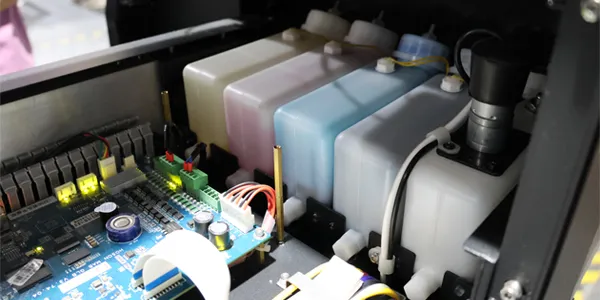
- Reinstall the cartridge securely.
- Clean cartridge chip contacts with a lint-free cloth.
- Check for damaged or oxidized contact pins.
- Test with an original or known-compatible cartridge.
- Update printer firmware if required.
Prevention Tips
Avoid touching cartridge chips directly with your fingers during installation.
Ink Leakage Inside the Printer
Typical Symptoms
- Ink dripping around cartridges or tubes
- Ink stains inside the machine
- Unexpected ink consumption
Possible Causes
Leaks may result from loose fittings, damaged tubing, cracked cartridges, excessive pressure, or incorrect ink-filling procedures.
Recommended Solutions
- Inspect all ink tubes and connectors.
- Replace worn O-rings or damaged fittings.
- Verify ink pressure settings.
- Refill cartridges slowly to avoid air bubbles.
- Use reliable ink supply components.
Prevention Tips
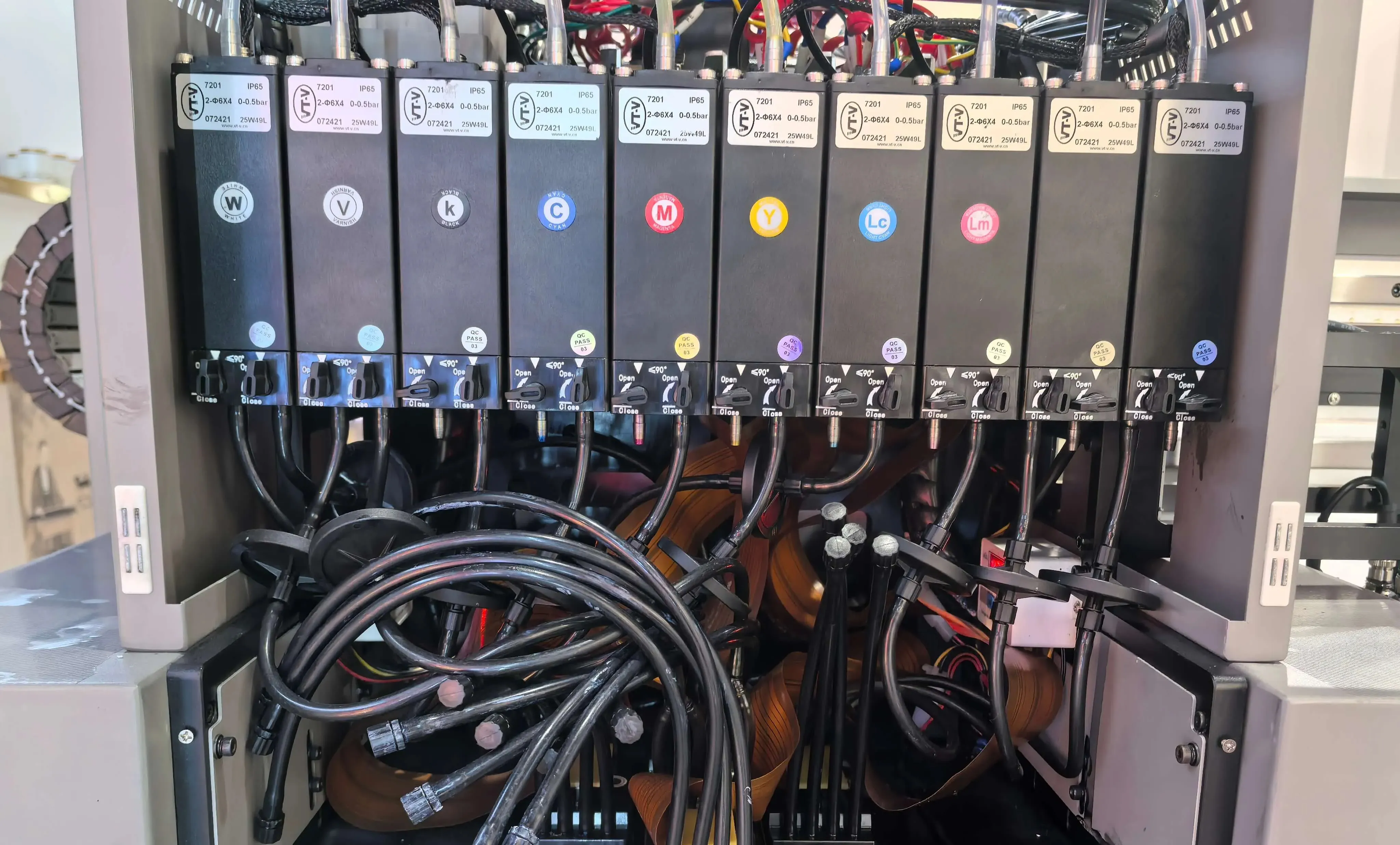
Perform routine inspections on ink lines and dampers to identify wear before leaks occur.
False "Low Ink" Warnings
Typical Symptoms
- Low ink alerts despite sufficient ink levels
- Printing interruptions caused by incorrect ink readings
Possible Causes
Ink level sensors, cartridge chips, or internal counters may become inaccurate over time.
Recommended Solutions
- Reset the ink level monitoring system.
- Reinstall the cartridge.
- Replace faulty chips or sensors.
- Update printer software and drivers.
Prevention Tips
Use cartridges and chips designed specifically for your printer model.
Poor Print Quality and Color Inconsistency
Typical Symptoms
- Dull colors
- Color shifts
- Grainy images
- Broken lines or uneven fills
Possible Causes
Expired ink, nozzle blockage, improper ICC profiles, incorrect print settings, or unstable ink delivery can all affect output quality.
Recommended Solutions
- Clean and inspect printheads.
- Replace expired or contaminated ink.
- Calibrate color profiles.
- Verify ink supply stability.
- Adjust print resolution and pass settings.
Prevention Tips
Store ink according to manufacturer recommendations and avoid mixing different ink brands.
Rising Ink Costs and Excessive Consumption
Typical Symptoms
- Higher operating expenses
- Frequent cartridge replacements
- Excessive cleaning cycle consumption
Possible Causes
Inefficient workflows, unnecessary cleanings, poor maintenance practices, and low-quality consumables often increase ink usage.
Recommended Solutions
- Optimize print settings.
- Install a reliable bulk ink supply system.
- Reduce unnecessary cleaning cycles.
- Schedule preventive maintenance.
- Monitor ink consumption trends.
Prevention Tips
A properly maintained ink delivery system can significantly reduce long-term ink waste.
Cartridge Chip Failure
Typical Symptoms
- Cartridge detected intermittently
- The ink level cannot be read
- Printing is disabled despite full cartridges
Possible Causes
Chip damage, static electricity, poor electrical contact, or manufacturing defects.
Recommended Solutions
- Remove and reinstall the cartridge.
- Clean chip contact surfaces.
- Replace the defective chip.
- Use chip reset tools when supported.
Prevention Tips
Handle cartridges carefully and store them in anti-static packaging when possible.
Ink Smearing or Slow Drying
Typical Symptoms
- Printed images smear easily
- Ink transfers to rollers or media
- Poor adhesion on certain materials
Possible Causes
Incorrect ink-media compatibility, insufficient curing energy, low drying temperature, or excessive ink coverage.
Recommended Solutions
- Verify media compatibility before production.
- Use fast-drying or application-specific inks.
- Increase UV curing intensity if applicable.
- Apply suitable primers for difficult substrates.
- Optimize print speed and ink limits.
Prevention Tips
Different materials require different ink formulations. Always match the ink type to the substrate for best adhesion and durability.
Conclusion
Most printing problems that appear to be equipment failures actually originate within the ink delivery system. Regular maintenance, quality consumables, proper environmental control, and timely replacement of wear parts can prevent the majority of ink-related issues.
If your printer frequently experiences nozzle clogging, unstable ink supply, leakage, or color inconsistency, inspecting the entire ink system—including filters, dampers, pumps, cartridges, and printheads—should be your first troubleshooting step.
A stable ink system not only improves print quality but also extends printhead life and reduces overall operating costs.