In digital inkjet printing, printhead clogging, missing nozzles, and unstable ink output are common maintenance challenges. When these problems occur, many users immediately turn to printhead cleaning.
However, more frequent cleaning does not necessarily lead to better printing results. Excessive or improper cleaning can waste ink and cleaning solution, accelerate the deterioration of seals and other components, and even damage the printhead if performed incorrectly.
The key to printhead maintenance is not how often you clean, but whether you identify the real cause of the problem and choose the right solution.
In this guide, we explain when printhead cleaning is necessary, how to follow a step-by-step maintenance strategy, why proper moisture matters, and how to select a compatible cleaning solution.
1. Not Every Printhead Problem Is Caused by Clogging
When printing defects such as missing nozzles, inconsistent ink output, or deflected droplets appear, deep cleaning should not be the first response.
Different symptoms may originate from the nozzle plate, ink delivery system, ink condition, or printer control parameters. Each requires a different diagnostic approach.
| Problem | Typical Symptoms | What to Check |
|---|---|---|
| Dried ink around nozzles | Missing nozzles at startup that may improve after printing | Capping condition, moisture retention, and spitting settings |
| Ink settling or clogged filters | Persistent missing nozzles, uneven color, or unstable ink supply | Ink circulation, filters, and ink line flow |
| Air bubbles in ink lines | Random missing nozzles and inconsistent ink output | Tube connections, seals, and air removal |
| Contamination on the nozzle plate | Deflected droplets, ink mist, or misplaced dots | Nozzle plate condition, wipers, and the capping station |
These symptoms provide useful diagnostic clues, but they do not independently confirm the root cause.
Cleaning can help remove certain types of ink residue and contamination. However, it cannot resolve every issue in the ink delivery system. If the problem originates from incorrect negative pressure, air bubbles, filter restrictions, or printhead drive parameters, cleaning alone is unlikely to provide a lasting solution.
2. Follow a Step-by-Step Printhead Maintenance Strategy
Printhead maintenance should be based on the severity of the problem, printer downtime, ink type, and the manufacturer's maintenance recommendations.
Rather than performing intensive cleaning every time a printing defect appears, start with lower-risk procedures and increase the intervention level only when necessary.
Level 1: Daily Moisture Retention and Capping
When to use: After printing, during temporary shutdowns, or whenever the printer will remain idle.
Recommended practices:
- Return the printhead to its designated capping position.
- Ensure the printhead and capping station are correctly aligned and properly sealed.
- Use a compatible moisturizing or maintenance solution if required by the equipment manufacturer.
- Inspect the cap top, seals, and maintenance solution condition regularly.
The primary purpose of capping is to reduce moisture loss from the ink around the nozzles, helping prevent ink from drying and forming deposits.
Level 2: Spitting and Routine Nozzle Maintenance
When to use: During printing intervals, standby periods, or scheduled maintenance cycles.
Controlled spitting can help maintain nozzle activity by ejecting small amounts of ink at appropriate intervals.
The frequency should be adjusted according to the ink formulation, ambient temperature and humidity, idle time, and printer settings.
More frequent spitting is not always better. Excessive spitting increases ink consumption and may not address the underlying cause of recurring nozzle problems.
Level 3: Routine Cleaning
When to use: When inspection indicates that contamination or nozzle blockage may be responsible for a printing defect, or when cleaning is required as part of an approved ink-change or shutdown procedure.
Before cleaning, confirm that the cleaning solution is compatible with the existing ink and printhead materials.
Follow the equipment manufacturer's recommended procedure for cleaning, flushing, and handling residual ink.
For extended shutdowns, do not assume that every printhead requires the same cleaning duration or circulation cycle. The appropriate procedure depends on the printhead design, ink system, and equipment specifications.
Level 4: Deep Cleaning
When to use: When a suspected nozzle blockage or contamination persists after basic checks and routine maintenance.
Deep cleaning should be treated as a last resort rather than a standard daily maintenance procedure.
Follow the manufacturer's instructions regarding suction, pressure, flushing methods, cleaning solution, and operating time. Excessive pressure or an inappropriate cleaning method may cause additional damage.
If the problem remains after deep cleaning, stop repeating the procedure and investigate other potential causes, including negative pressure, air bubbles, filter restrictions, drive waveforms, or printhead damage.
The guiding principle is simple: if a lower-risk procedure can resolve the problem, there is no need to move immediately to a more aggressive cleaning method.
3. Why Can Excessive Cleaning Damage a Printhead?
Cleaning is not entirely cost-free. Repeated or improperly performed cleaning may introduce several risks.
Chemical Compatibility and Material Deterioration
Cleaning solutions come into contact with various wetted materials, including seals and other internal components. If the solution is chemically incompatible, prolonged or repeated exposure may affect their performance.
Pressure-Related Stress
Improper suction, pressure flushing, or excessive pressure differences can place unnecessary stress on the printhead structure and ink delivery system.
Nozzle Plate Damage
Using hard tools, unsuitable wiping materials, or aggressive cleaning methods may damage the nozzle plate or its surface coating.
Higher Maintenance Costs
Frequent cleaning consumes ink and cleaning solution and increases equipment downtime. If the same problem returns shortly after cleaning, the underlying cause may still be present.
When a printer requires deep cleaning repeatedly just to resume production, investigate moisture retention, ink compatibility, supply stability, and filtration before performing another cleaning cycle.
4. Why Is Proper Capping More Important Than Repeated Cleaning?
Cleaning addresses certain problems after they occur. Capping helps prevent one of the most common causes of nozzle blockage: ink drying around the nozzles during downtime.
When a printhead remains exposed to air, water or solvent components in the ink may evaporate. The remaining ink can become more concentrated or viscous and may eventually form deposits that interfere with normal ink ejection.
Proper capping helps reduce moisture loss and lowers the risk of nozzle drying, potentially reducing the need for unnecessary cleaning.
Four Key Practices for Effective Capping
1. Return the printhead to its designated position.
After printing, move the printhead to the appropriate capping station instead of leaving it exposed to air.
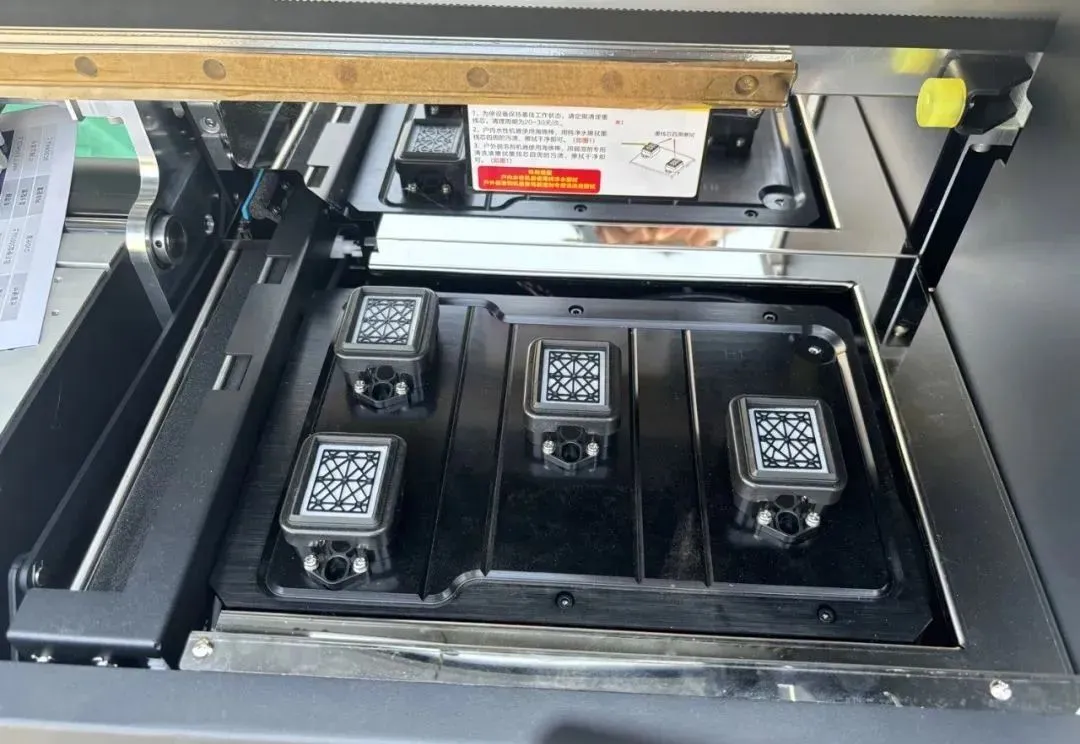
2. Check the cap seal.
Ensure that the cap top contacts the printhead correctly and that the sealing components are in good condition. Poor sealing can reduce moisture retention.
3. Use the correct maintenance solution.
Use only a moisturizing or maintenance solution approved for the relevant printhead and ink system. Follow the manufacturer's instructions for application.
4. Inspect the system during extended downtime.
Check the condition of the cap top, seals, and maintenance solution as required. Replenish or replace the solution according to the equipment specifications.
Not every printhead uses the same capping design or maintenance liquid level. Do not assume that the liquid must always cover the entire nozzle plate. Follow the specific requirements of the printhead and capping system.
Capping vs. Cleaning: What Is the Difference?
| Factor | Capping and Moisture Retention | Printhead Cleaning |
|---|---|---|
| Primary purpose | Help prevent nozzle drying | Remove specific contamination or blockage |
| When to use | According to shutdown and maintenance requirements | When justified by symptoms or scheduled procedures |
| Main benefit | Reduce the risk of dried ink | Help restore normal ink ejection when cleaning is appropriate |
| Key requirement | Correct positioning, sealing, and solution selection | Chemical compatibility and proper cleaning procedures |
Capping cannot replace necessary cleaning, but effective moisture retention can help reduce cleaning caused by dried ink.
5. Choosing the Right Printhead Cleaning Solution
Different ink systems have different chemical compositions. Therefore, a cleaning solution must be compatible with both the ink and the printhead's wetted materials.
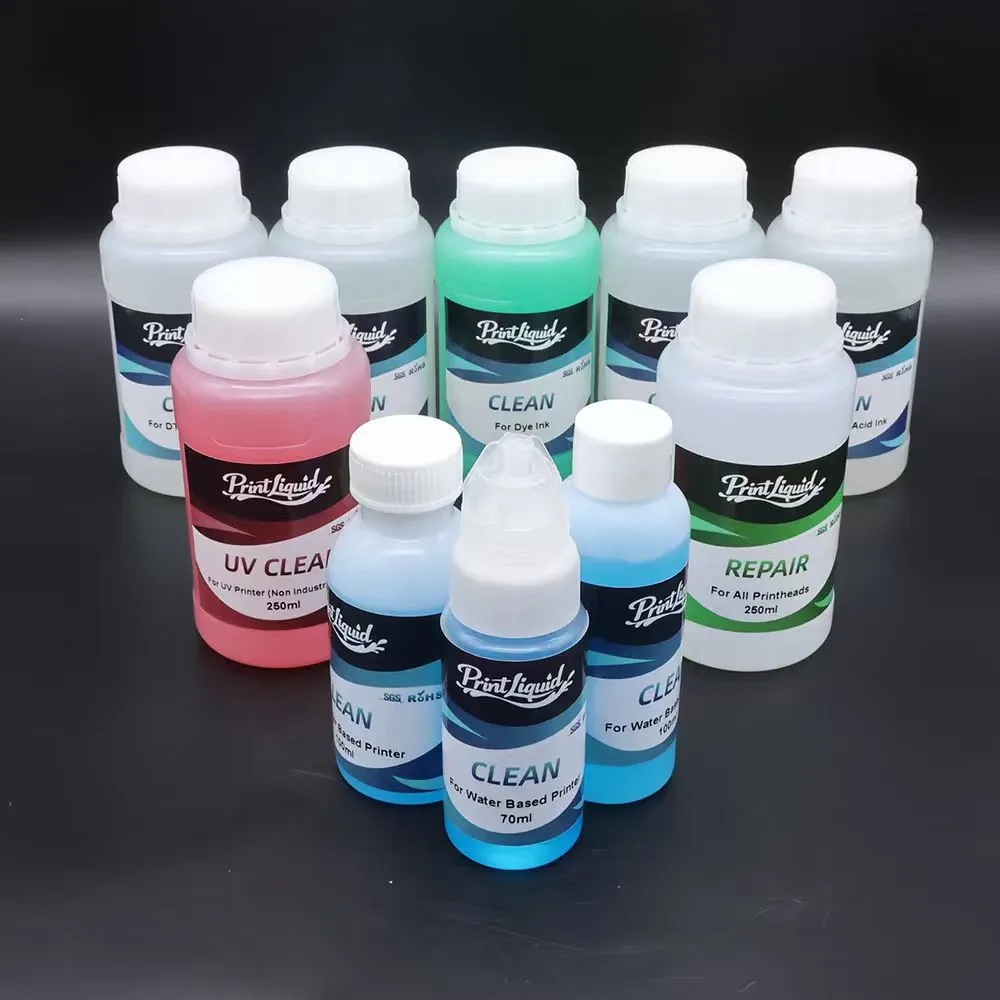
Common ink systems include:
- Water-based inks: Choose a cleaning solution compatible with the specific water-based ink formulation and printhead materials.
- Solvent-based inks: Use a cleaning solution formulated for the corresponding solvent ink system.
- UV inks: Select a dedicated UV cleaning solution compatible with the ink formulation and printhead structure.
Choosing the correct cleaning solution is essential for effective maintenance and reducing the risk of chemical incompatibility.
For more detailed information about cleaning solution types, applications, and selection guidelines, read our Printhead Cleaning Solution Guide.
Do not assume that two solutions are compatible simply because they belong to the same ink category. Different formulations may react differently with residual ink or internal materials.
5.1 Check Compatibility Before Changing Cleaning Solutions
Before switching brands or cleaning solution types, consult the supplier's technical documentation to confirm compatibility with the existing ink system and printhead materials.
If a compatibility test is recommended, follow the supplier's specified method and mixing ratio. Observe the mixture for:
- Flocculation or gel-like deposits
- Precipitation or sediment
- Separation into different layers
- Unexpected discoloration or other abnormal changes
These tests can help identify potential incompatibility, but they are only preliminary screening methods and do not replace formal compatibility verification.
5.2 Important Precautions After Cleaning
- Remove residual cleaning solution according to the equipment manufacturer's procedure before restoring normal ink supply.
- Do not mix different ink and cleaning solution systems without confirming compatibility.
- Check the cleaning solution's expiration date, storage conditions, and recommended period of use after opening.
- When changing cleaning solutions for batch production, conduct the necessary compatibility checks before full-scale use.
These precautions help reduce the risk of chemical reactions, material damage, and ink delivery problems.
6. Six Common Printhead Cleaning Mistakes
Mistake 1: Using a High-Pressure Air Gun on the Nozzle Plate
High-pressure airflow may push contaminants into the nozzles or cause other damage. Use only cleaning methods approved by the printhead or equipment manufacturer.
Mistake 2: Using Needles or Hard Objects to Clear Nozzles
Hard objects can scratch or damage the nozzle plate, potentially causing irreversible problems. Never use needles, metal wires, or other rigid tools directly on the nozzle surface.
Mistake 3: Performing Deep Cleaning Too Frequently
Deep cleaning is not a substitute for diagnosing the root cause. If the same problem repeatedly returns, investigate moisture retention, ink compatibility, filtration, and ink delivery instead of simply increasing cleaning frequency.
Mistake 4: Shutting Down Without Proper Capping
Leaving the printhead exposed during downtime increases the risk of ink drying. Follow the correct shutdown sequence and ensure that the printhead is properly capped before the equipment is left idle.
Mistake 5: Mixing Incompatible Cleaning Solutions or Leaving Residue
Incompatible liquids may cause precipitation, deposits, or material-related problems. Confirm compatibility before changing cleaning solutions and remove residual liquid according to the prescribed procedure.
Mistake 6: Cleaning Only the Printhead and Ignoring the Ink Supply System
A clean printhead may quickly develop problems again if the upstream system continues to introduce contaminants or supply ink inconsistently.
Inspect the capping station, ink lines, filters, connections, and other relevant components as part of routine maintenance.
7. Printhead Troubleshooting Checklist
Use the following table as a starting point when diagnosing common printing defects.
| Symptom | Possible Cause | Recommended Action |
|---|---|---|
| Missing nozzles at startup that improve after printing | Dried ink or inadequate moisture retention | Check capping, seals, and maintenance settings |
| Persistent missing nozzles in the same positions | Nozzle blockage, unstable ink supply, or filter restriction | Review nozzle test results and inspect filters and ink flow |
| Random missing nozzles and unstable output | Air bubbles, connection leaks, or pressure instability | Inspect ink line connections and ink delivery conditions |
| Deflected droplets, ink mist, or misplaced dots | Nozzle plate contamination or nozzle abnormalities | Inspect and clean the nozzle plate using an approved method |
| Problems persist after deep cleaning | Ink supply issues, drive parameters, or printhead damage | Stop repeated cleaning and investigate the underlying cause |
These are initial troubleshooting guidelines, not definitive diagnoses. The correct procedure depends on the printhead model, ink formulation, and printer design.
Conclusion: Proper Maintenance Matters More Than Frequent Cleaning
Effective printhead maintenance begins with understanding the difference between prevention and correction.
Capping helps prevent nozzle drying. Spitting supports routine nozzle maintenance. Cleaning addresses specific contamination or blockage when it is appropriate.
Choosing the right method for the actual problem can reduce unnecessary maintenance, limit downtime, and help protect printhead performance.
For printer manufacturers, service providers, and industrial inkjet users, reliable printing depends not only on the printhead itself but also on ink compatibility, supply stability, filtration, capping performance, and consistent maintenance practices.
Before cleaning a printhead, ask one important question: Is the printhead actually contaminated, or is the ink supply system causing the problem?
Identifying the cause before taking action is a more effective way to protect printheads, control maintenance costs, and maintain consistent print quality.
If recurring nozzle problems persist despite cleaning, review the ink type, operating conditions, shutdown procedures, and maintenance history before repeating the same treatment.