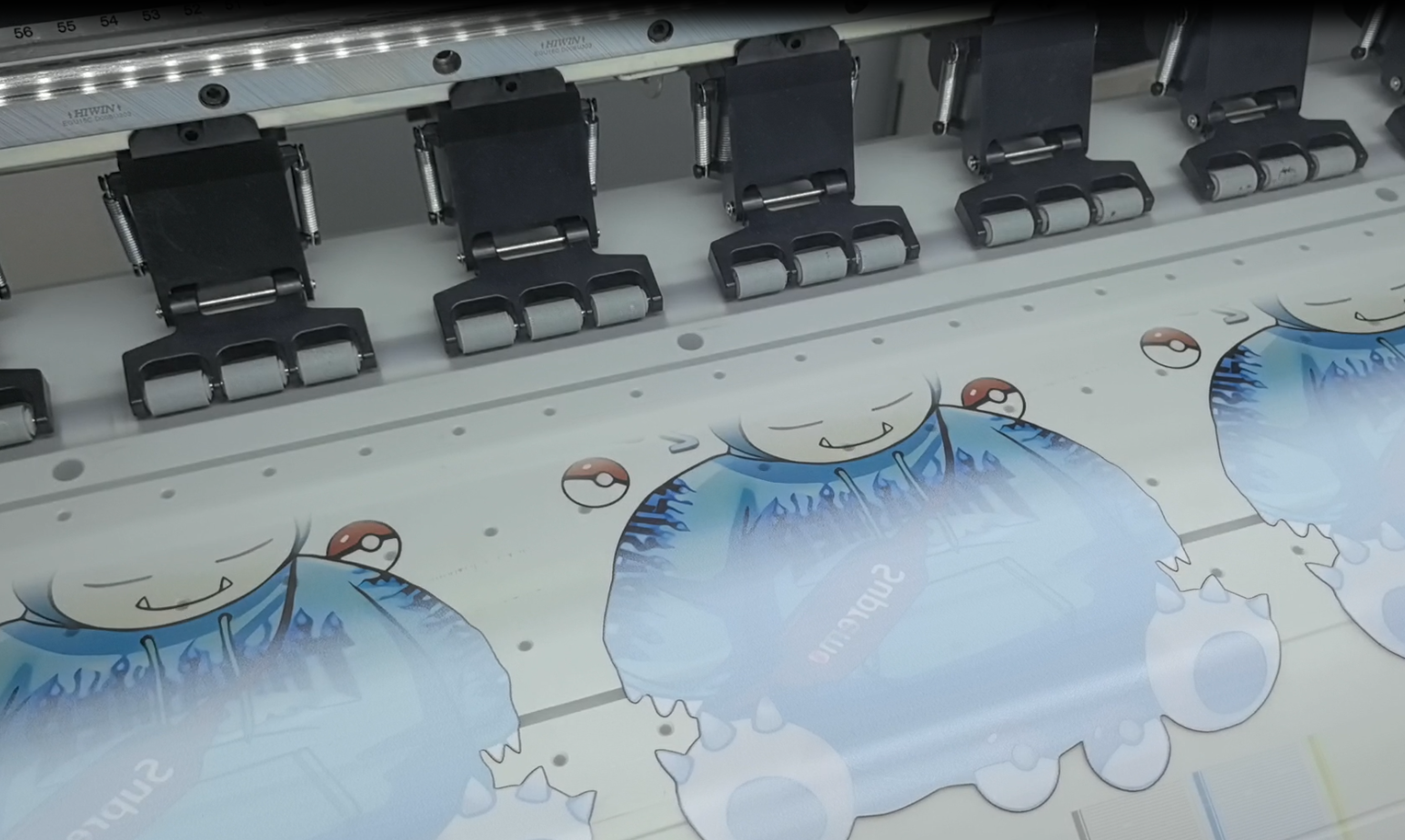
DTF (Direct-to-Film) printing has become one of the fastest-growing digital printing technologies thanks to its versatility, vibrant colors, and ability to print on cotton, polyester, blends, and other fabrics. However, even the best DTF printer can quickly develop print quality issues if maintenance is neglected.
White ink sedimentation, nozzle clogging, powder contamination, and environmental factors can all impact production efficiency and print quality. The good news is that most problems can be prevented with a simple maintenance routine.
This guide covers everything you need to know about DTF printer maintenance, including daily, weekly, and monthly tasks, common troubleshooting tips, and best practices for extending the lifespan of your printer and printheads.
Why DTF Printer Maintenance Matters
A DTF printer is a precision production system that combines:
- Ink delivery system
- Printhead technology
- White ink circulation
- PET film transport
- Powder application
- Heat-curing process
When one component becomes contaminated or unstable, the entire printing process is affected.
Proper maintenance helps you:
- Prevent printhead clogging
- Reduce ink waste
- Improve print consistency
- Extend printhead lifespan
- Minimize production downtime
- Maintain color accuracy
- Protect expensive machine components
Regular maintenance is far less expensive than replacing printheads or losing production time due to unexpected machine failures.
Understanding the Biggest Risk: White Ink
Among all DTF consumables, white ink requires the most attention.
Unlike CMYK inks, white ink contains a high concentration of titanium dioxide pigment. These particles are heavier and naturally settle over time.
Without proper circulation or agitation, white pigment can:
- Settle in ink tanks
- Accumulate inside ink lines
- Block dampers
- Clog printhead nozzles
- Cause inconsistent white underbase printing
This is why most DTF maintenance routines focus heavily on keeping the white ink system active and clean.
Ideal Working Environment for DTF Printing
Maintenance begins with the printing environment.
Even a well-maintained printer may experience problems if temperature and humidity are unstable.
Recommended Conditions
| Factor | Recommended Range |
|---|---|
| Temperature | 20–26°C (68–79°F) |
| Humidity | 40–60% RH |
| Workspace | Clean and dust-free |
| Power Supply | Stable voltage |
| Material Storage | Cool and dry |
Low humidity may dry ink on the nozzle surface.
High humidity may cause:
- Powder clumping
- Film curling
- Poor transfer performance
- Color instability
Maintaining a stable environment reduces maintenance frequency and improves overall print quality.
Daily DTF Printer Maintenance Checklist
Daily maintenance is the most important part of printer care.
Most daily tasks require less than 15 minutes.
1. Agitate or Circulate White Ink
Before production begins:
- Shake white ink bottles if required
- Check the white ink circulation system
- Verify white ink mixing system is functioning properly
This prevents pigment sedimentation and keeps white ink flowing consistently.
2. Perform a Nozzle Check
Always print a nozzle test pattern before production.
A complete nozzle pattern confirms:
- All channels are firing correctly
- Ink supply is stable
- No partial clogging exists
If missing nozzles appear:
- Perform one cleaning cycle
- Run another nozzle check
- Repeat only when necessary
Avoid excessive cleaning because it wastes ink and may shorten the maintenance station lifespan.
3. Check Ink Levels
Inspect all ink channels before printing.
Pay special attention to:
- White ink consumption
- Air bubbles in lines
- Ink tank levels
Running ink levels too low can introduce air into the ink system.
4. Clean the Capping Station
The capping station protects the printhead when the printer is idle.
Clean:
- Rubber cap surfaces
- Surrounding ink residue
- Waste ink buildup
A dirty cap cannot properly seal the printhead, leading to nozzle drying.
5. Clean the Wiper Blade
The wiper blade removes excess ink from the printhead surface.
Daily inspection helps prevent:
- Ink accumulation
- Nozzle contamination
- Printhead scratching
Replace worn or deformed wiper blades immediately.
6. Remove Residual Powder
For DTF systems equipped with a powder shaker and dryer:
Inspect and clean:
- Powder chamber
- Powder hopper
- Powder return area
- Scraper blade
- Internal machine surfaces
Use a soft brush or vacuum to remove residual hot-melt powder.
Benefits include:
- Improved powder circulation
- Reduced contamination
- More consistent powder application
7. Check Powder Condition
Hot-melt powder can absorb moisture during storage.
If powder shows signs of clumping:
- Use a powder sieve before loading
- Break up lumps completely
- Store unused powder in sealed containers
This ensures even powder distribution and better transfer quality.
8. Clean Film Feeding Areas
Inspect:
- Film rollers
- Film guides
- Platen surfaces
Remove:
- Dust
- Powder particles
- Ink splashes
- Film debris
Clean feeding paths help prevent tracking errors and surface scratches.
9. Keep the Workspace Clean
A clean workshop significantly reduces maintenance problems.
Avoid:
- Excessive dust
- Oil contamination
- Corrosive chemicals
- High-moisture environments
A cleaner workspace means fewer print defects and longer equipment life.
Weekly DTF Printer Maintenance
Weekly maintenance focuses on deeper inspection and preventive care.
1. Deep Clean the Maintenance Station
Perform a thorough cleaning of:
- Capping station
- Wiper blade
- Waste ink area
- Printhead parking area
This prevents dried ink buildup that daily cleaning may miss.
2. Inspect the Encoder Strip
The encoder strip controls carriage positioning.
If dirty, it may cause:
- Banding
- Misalignment
- Ghosting effects
Clean carefully using approved cleaning materials.
Never scratch the surface of the strip.
3. Inspect Ink Lines and Dampers
Check for:
- Air bubbles
- Pigment buildup
- Ink sedimentation
- Flow irregularities
Damaged dampers often cause symptoms similar to printhead failures.
4. Check Mechanical Components
Inspect:
- Carriage movement
- Belts
- Pulleys
- Motors
- Sensors
Listen for unusual sounds during operation.
Early detection prevents costly repairs.
5. Print a Comprehensive Test File
Beyond a nozzle check, print a file containing:
- Fine lines
- Color gradients
- Solid fills
- White underbase areas
This helps identify hidden print quality issues before customer orders are affected.
Monthly DTF Printer Maintenance
Monthly maintenance focuses on long-term machine reliability.
1. Inspect and Replace Dampers When Necessary
Replace dampers showing:
- Air contamination
- Reduced flow
- Heavy pigment buildup
- Physical damage
Preventive replacement is often cheaper than replacing a clogged printhead.
2. Flush Ink Lines if Required
For printers showing persistent flow issues:
- Use an approved cleaning solution
- Follow manufacturer recommendations
- Avoid aggressive solvents
Incorrect cleaning chemicals can permanently damage ink system components.
3. Perform Printhead Surface Cleaning
Carefully clean the nozzle plate using:
- Approved cleaning fluid
- Lint-free wipes
- Foam swabs
Never scrub aggressively.
The printhead is the most valuable component in the printer.
4. Lubricate Moving Parts
Check and lubricate:
- Guide rails
- Carriage rods
- Moving assemblies
Use only manufacturer-approved lubricants.
Too much lubricant can attract dust and powder.
5. Inspect Electrical Connections
Check:
- Data cables
- Grounding connections
- Internal wiring
- Connector stability
Loose electrical connections can create intermittent printing issues.
6. Update Software and Firmware
Periodically review:
- RIP software updates
- Printer firmware updates
- ICC profile improvements
Updates often improve stability and printing performance.
Long-Run Production Maintenance
Industrial DTF production often involves long working hours.
To reduce thermal stress:
Recommended Practice
After approximately 10–12 hours of continuous production:
- Pause operation
- Allow the machine to cool for about one hour
- Restart after temperatures stabilize
This helps protect:
- Printheads
- Mainboards
- Motors
- Heating systems
Long-term reliability improves significantly when overheating is avoided.
How to Store DTF Materials Properly
PET Film Storage
Store PET film:
- Flat or upright
- Away from direct sunlight
- In low-humidity conditions
- Inside original packaging
Improper storage may cause:
- Curling
- Static buildup
- Poor feeding
DTF Powder Storage
Store adhesive powder:
- In sealed containers
- Away from moisture
- At room temperature
Moisture-contaminated powder often causes:
- Clumping
- Uneven coating
- Poor transfer adhesion
Common DTF Printing Problems and Solutions
White Ink Missing
Possible Causes
- White ink sedimentation
- Air in lines
- Damper blockage
- Printhead clogging
Solutions
- Agitate white ink
- Run the circulation system
- Inspect dampers
- Perform nozzle cleaning
Banding
Possible Causes
- Partial nozzle clogging
- Dirty encoder strip
- Incorrect alignment
Solutions
- Run nozzle check
- Clean encoder strip
- Perform printhead alignment
Uneven Powder Distribution
Possible Causes
- Moist powder
- Powder buildup
- Blocked powder circulation
Solutions
- Sieve powder
- Clean powder system
- Replace contaminated powder
Poor Transfer Adhesion
Possible Causes
- Incorrect curing
- Uneven powder coating
- Moisture contamination
Solutions
- Verify curing temperature
- Check powder coverage
- Improve material storage
Essential DTF Maintenance Supplies
Every DTF production facility should keep:
- Printhead cleaning solution
- Maintenance swabs
- Lint-free cloths
- Nitrile gloves
- Syringes
- Replacement dampers
- Replacement wiper blades
- Cleaning cartridges
- Spare PET film
- Backup powder
- Waste ink containers
Having maintenance supplies/DTF printer parts available minimizes downtime when issues occur.
Final Thoughts
A DTF printer is only as reliable as its maintenance routine.
The most successful print shops follow a simple rule:
Clean daily. Inspect weekly. Service monthly.
By maintaining the printhead, white ink system, powder shaker, curing unit, and working environment, you can significantly reduce downtime, improve print consistency, and maximize the return on your DTF printing investment.
Whether you operate a small custom apparel business or a large-scale production facility, consistent maintenance is the key to achieving stable performance, longer printhead life, and professional-quality DTF transfers every day.