
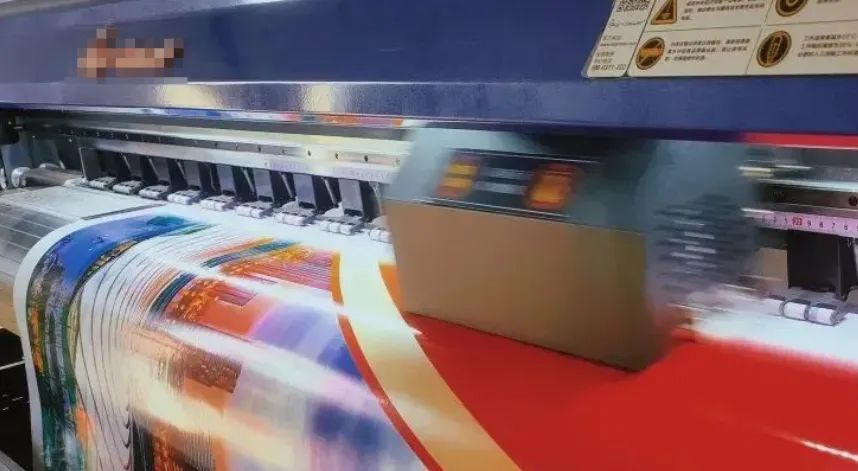
In industrial printing, unexpected downtime doesn’t just mean repair costs—it can delay orders, disrupt production schedules, and impact customer satisfaction. The reality is that most printer failures are not sudden hardware issues, but the result of small problems building up over time due to insufficient maintenance.
A well-structured daily printer maintenance routine is the key to ensuring consistent output, extending equipment lifespan, and reducing operational risks.
This guide walks you through practical, easy-to-follow maintenance practices for industrial inkjet printers.
Control the Operating Environment
The surrounding environment plays a critical role in printer performance. Dust, temperature fluctuations, and humidity can all affect print quality and machine stability.
Best practices:
- Wipe the printer exterior daily using a soft, lint-free cloth
- Avoid alcohol or corrosive cleaners that may damage surfaces or seep into components
- Keep the workspace clean and free from paper debris, dust, and oil
- Maintain stable temperature (20–28°C) and humidity (40%–60%)
- Prevent direct airflow from air conditioners or fans onto the printer
A clean and controlled environment can significantly reduce potential failures.
Daily Test Printing: Detect Issues Early
Daily test prints are the fastest way to catch issues before they escalate.
Recommended routine:
- Run a nozzle check or standard test print before production
- Look for missing lines, color inconsistency, or uneven output
- Check media feeding for alignment and smooth movement
- Address minor issues immediately to avoid larger failures
A one-minute test can save hours of downtime.
Media Feeding System Maintenance
Feeding issues are among the most common problems in industrial printing and are often caused by poor cleaning.
Maintenance tips:
- Inspect input/output paths for debris or foreign objects
- Use a soft brush or air blower to clean internal pathways
- Clean rollers with a slightly damp, lint-free cloth if dirty
- Ensure rollers rotate smoothly to avoid skewing or misalignment
Stable media feeding ensures accurate and consistent print results.
Printhead Care: Protect the Core Component
The printhead is the most critical and sensitive part of the printer. Proper care focuses on prevention rather than recovery.
Daily recommendations:
- Perform nozzle checks and monitor for missing or deflected jets
- Use light cleaning first; avoid frequent deep cleaning cycles
- Ensure the printhead returns to the capping station when idle
- Keep the capping station and wiper blade clean to prevent contamination
Clogging is usually gradual—consistent care makes all the difference.
Ink Supply System: The Lifeline of Printing
A stable ink supply is more important than frequent cleaning when it comes to maintaining print quality.
What to check:
- Monitor ink levels and refill in time to avoid dry running
- Use compatible, high-quality inks for stable performance
- Inspect ink tubes for air bubbles, leaks, or kinks
- Address any leakage immediately to prevent internal damage
A single ink supply issue can ruin an entire production batch.
Power and Connectivity Check
Electrical and connection issues are often overlooked but can lead to unexpected errors.
Routine checks:
- Ensure power cables are secure and undamaged
- Check USB/Ethernet connections for stability
- Replace loose or worn connectors promptly
- Avoid frequent plugging/unplugging that may damage ports
Stable connections help prevent random errors and data loss.
Build a Preventive Printer Maintenance Routine
Beyond daily care, implementing a structured maintenance plan can greatly improve efficiency.
Suggested schedule:
- Daily: Environment check, nozzle test, basic cleaning
- Weekly: Clean key components (wiper, capping station, rollers)
- Monthly: Inspect ink system sealing and electrical connections
- Record keeping: Log maintenance actions and issues for traceability
Standardized processes are more reliable than reactive fixes.
Conclusion: Maintenance Is an Investment, Not a Cost
In industrial printing, equipment reliability directly impacts productivity and profitability. Proactive maintenance minimizes downtime, ensures consistent output, and extends the life of critical components.
If you are experiencing:
- Frequent printhead clogging
- Excessive cleaning cycles
- Ink supply instability
- Inconsistent print results
We can help. Based on your printer model and application, we provide compatible cleaning solutions, capping stations, wiper blades, filters, and ink system components to support long-term stable operation.


