
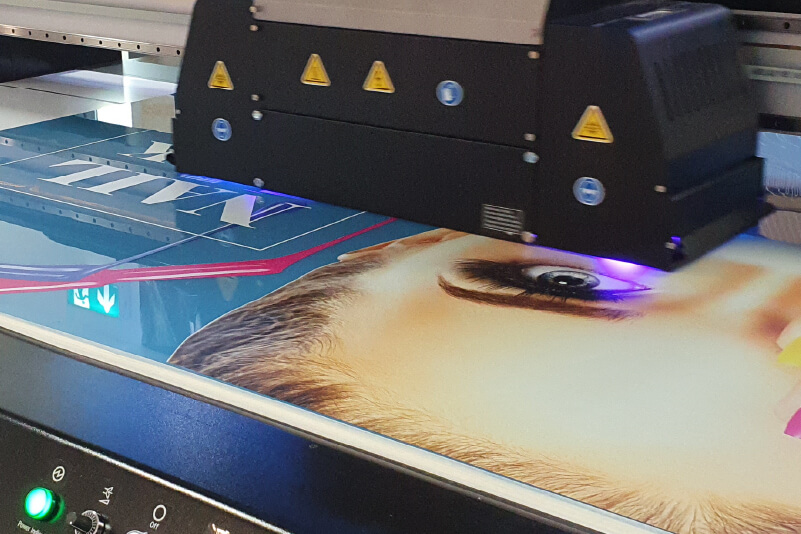
In today’s digital printing industry, UV printing has become a widely adopted technology thanks to its fast curing process, strong adhesion, and compatibility with a broad range of materials such as acrylic, glass, metal, wood, and plastics. It is extensively used in advertising production, packaging customization, interior decoration, and industrial marking applications.
However, in real production environments, UV printers may still encounter various operational issues. These problems are rarely caused by a single factor; instead, they often result from the combined influence of printhead condition, ink system stability, mechanical precision, and environmental factors.
This article provides a structured overview of common UV printing issues and practical troubleshooting strategies to improve production stability.
1. Printhead Clogging and Nozzle Failure
Common symptoms
- Broken or missing lines in prints
- Uneven color output or fading sections
- Blurry or incomplete image quality
Underlying causes
Nozzle clogging is typically a gradual process caused by ink sedimentation, insufficient maintenance cycles, prolonged machine idle time, or dust contamination in the working environment. Unstable ink viscosity can also accelerate blockage.
Recommended solutions
- Use dedicated printhead cleaning solutions for controlled nozzle flushing
- Run regular maintenance and ink circulation cycles
- Avoid long periods of inactivity without system upkeep
- Perform routine nozzle checks to detect early-stage blockage
2. Ink Stringing or “Fine Line Artifacts”
Common symptoms
- Thin, hair-like ink lines appearing in printed images
- Unwanted streaks or irregular ink trails
Underlying causes
This issue is often related to unstable ink ejection behavior, partial nozzle contamination, improper printhead height, or inconsistent ink supply. Physical contact between the printhead and substrate may also contribute to stringing.
Recommended solutions
- Adjust the printhead height to prevent contact with the material
- Ensure the substrate surface is clean and free of lint or dust
- Check ink supply lines for air intake or flow instability
- Optimize negative pressure settings to maintain stable droplet formation
3. Edge Overspray and Ink Fogging
Common symptoms
- Slight ink mist or halo effect around image edges
- Reduced sharpness at boundaries
Underlying causes
Overspray is often caused by airflow disturbances, uneven substrate surfaces, excessive printing speed, or insufficient calibration. Air turbulence generated by moving components can also affect droplet accuracy.
Recommended solutions
- Secure substrates using fixtures to improve flatness
- Slightly increase printhead height where necessary
- Reduce environmental airflow interference (fans, vents)
- Recalibrate printing alignment and bidirectional settings
4. Poor Image Quality and Blurry Output
Common symptoms
- Lack of sharpness in printed images
- Ghosting or misalignment between passes
- Loss of fine details
Underlying causes
Mechanical instability, inaccurate calibration, substrate movement, or vibration during printing are common causes. In some cases, incorrect media settings can also reduce image clarity.
Recommended solutions
- Inspect and maintain X-axis rail smoothness and stability
- Perform regular printhead alignment calibration
- Ensure the substrate is firmly fixed during printing
- Minimize vibration and unstable airflow in the workspace
5. Color Inconsistency or Color Shift
Common symptoms
- Printed colors differ significantly from the design files
- Inconsistent color output across batches
Underlying causes
Color deviation is usually caused by incorrect color profiles, inconsistent ink quality, nozzle instability, or variations in ink density during printing.
Recommended solutions
- Ensure artwork is converted to CMYK color mode before printing
- Use consistent ink batches and avoid mixing different brands
- Perform nozzle condition checks before production runs
- Implement a basic color management workflow (ICC profiles recommended)
6. Unexpected Printing Interruptions
Common symptoms
- Printing stops suddenly during operation
- Printhead returns to home position automatically
- No obvious error message displayed
Underlying causes
This issue may be related to ink supply interruption, mechanical failure, unstable power supply, data transmission errors, or software/firmware conflicts.
Recommended solutions
- Check ink levels and ensure a stable ink delivery system
- Inspect cables, connectors, and data transmission stability
- Verify power supply consistency and grounding conditions
- Update firmware or reinstall printer drivers if needed
- Confirm print parameters match the media and job settings
Conclusion: Stability Comes from Systematic Maintenance
UV printing performance is not determined by a single component, but by the overall balance of multiple systems—printheads, ink delivery, mechanical structure, environmental conditions, and operational practices.
Most printing issues do not occur suddenly; they develop gradually due to maintenance gaps or parameter drift over time.
By implementing structured maintenance routines, standardized operating procedures, and regular equipment inspections, manufacturers can significantly reduce downtime, extend printhead lifespan, and ensure consistent output quality.
In industrial UV printing, stability is not just a technical requirement—it is a core production advantage.


