
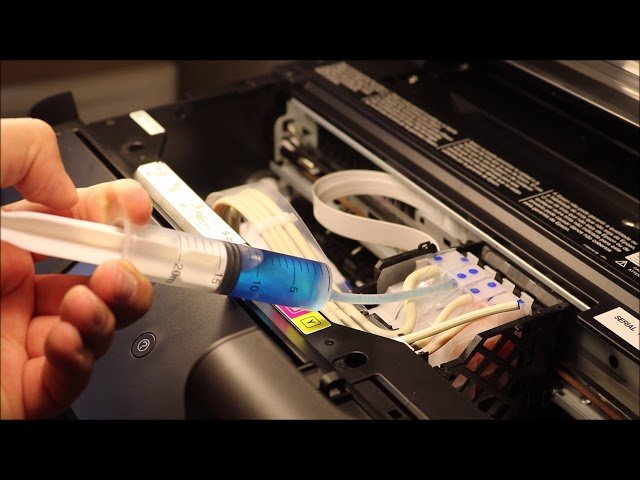
Epson printhead is prone to clogging, so how to clean Epson print head? With heavy daily use, your Epson printer may experience problems such as blurry prints, inaccurate colors, or the inability to print at all. These problems usually stem from clogged printheads. The printhead is the heart of the printer, and its working quality directly affects the printing effect. Therefore, regular cleaning of the printhead is particularly important. This article will introduce the detailed steps to clean the Epson printheads.
1. Air Blockage and Solution
Epson Printhead Clogging Caused by Air Blockage
One of the common phenomena of refilled Epson ink cartridges or new continuous ink supply system is that when adding ink, it is impossible to guarantee that there will be no tiny bubbles, and when the bubbles reach the nozzle, it will cause a certain color or several colors to be missing. You can see that the instructions for buying original ink cartridges or compatible ink cartridges often remind you to let it stand for a while before installation, just to make the bubbles disappear completely (the ink should contain an anti-foaming agent). For new machines or new printheads, there is protective liquid inside, which can be left for a while after refilling the ink cartridge or continuous supply before installation, which can also avoid this problem to a certain extent, but the ink carriage must not be left empty for the old machine that has been used.
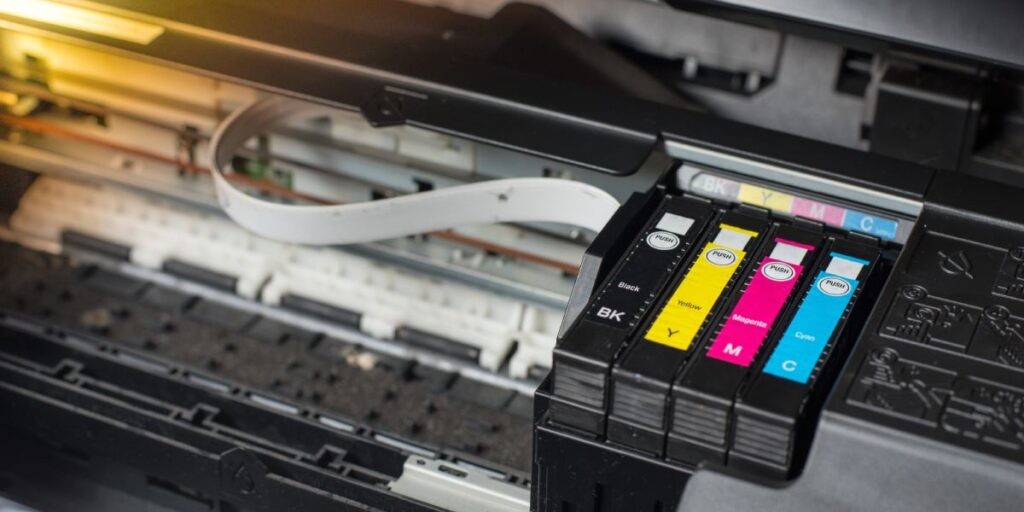
How to Clean Clogged Epson Print Head Caused by Air Blockage
The characteristic of air blockage is that every time the printhead cleaning action is executed in the driver, the missing line position will change. Sometimes there are fewer bubbles, and it may not change when only one or two lines are missing (often accompanied by virtual spraying and oblique spraying), but the necessary condition for judging air blockage is that there is no cross-color between the colors. Usually, it is cleaned up to three times.
It is recommended to shut down and wait, and it will generally return to normal the next day. Do not clean too much, as this will not only waste ink, but the cleaning action of the printer also has a strong ink suction pump, which is often accompanied by a rapid flow of ink. Not only will the bubbles fail to disappear, but large bubbles may be dispersed into more small bubbles, making the situation worse instead of better.
2. Lack of Negative Pressure and Solution
Epson Printhead Clogging Caused by Lack of Negative Pressure
The prerequisite for the normal ejection of the printhead is that there is ink in the nozzle, which is slightly concave at the microscopic level. You should know that ink has weight, and it can maintain this state on the nozzle plane instead of slowly flowing down, relying on the air channel designed in the inner box. When the air guide channel of the inner box is damaged, the ink will seep out of the nozzle under the action of gravity, and slowly accumulate on the surface of the printhead to become super-large "ink drops".
In this case, on the one hand, the weak thrust of the precision nozzle cannot make the ink droplets leave the accumulated ink smoothly but only makes the super-large "ink droplets" become larger in vain. On the other hand, this accumulated ink will inevitably cross the territory of its own color to a certain extent and spread to the nozzle of the next color, causing the color on the edge to start to be missing lines, and mixed with the ink from the nozzle that can barely be ejected and then sprayed onto the paper.
When the lack of negative pressure is not very serious and the ink seeps out slowly, normal printing can still be achieved because the nozzle will be scraped clean by a wiper before it moves out of the ink capping station. However, the ink will begin to accumulate slowly during the printing process. Due to the rapid movement of the cart, the ink droplets are thrown out by the cart before they have time to accumulate to a large size. As a result, sometimes a large pool of mixed-color ink droplets will appear on the normally printed photo, causing it to be scrapped.
How to Clean Clogged Epson Print Head Caused by Lack of Negative Pressure
Strictly speaking, this is not clogging, but there is a clogging phenomenon, which is characterized by: the position of the missing line changing randomly and is basically accompanied by color cross-talk. The principle is to replace the color that does not come out. If there is no missing line, but there is color cross-talk, then replace the color that comes out. Sometimes this situation does not occur because of a problem with the parts, but because the ink cartridge is filled too full, causing the air pressure in the ink cartridge to be too high after the rubber plug is plugged in, or the liquid level in the continuous supply outer box is too high, which can also cause this situation. Clean it several times and absorb the excess ink, and it will return to normal. Please analyze it according to the specific situation.
3. Epson Printhead Real clogging
I think this situation is relatively rare. The characteristics are that the position of the missing line is completely fixed, no matter how it is cleaned and placed. The reasons are: 1. It has not been used for too long. If it is not particularly long, it can usually be solved by cleaning it a few times. 2. Pigments and dyes are mixed. In this case, it is basically impossible to solve it without disassembling the printhead. 3. Solid foreign matter has entered the nozzle. There is nothing to say, you can only change the printhead.
4. No Ink and Solution
Epson Printhead Clogging Caused by No Ink
The ink cartridge is a sealed space. When ink is sprayed out, new things must be refilled. For the ink cartridge, what is refilled is air, and for the continuous ink supply system, what is refilled is a constant supply of ink. Once the refilled channel is blocked, the printhead will naturally not be able to spray ink normally. The characteristics are that it was normal at the beginning, but after the lack of lines was found, the more it was cleaned, the worse it became. In the end, there were only one or two lines or it was completely blank. In fact, it seems more reasonable to call this situation "air blockage".
How to Clean Clogged Epson Print Head Caused by No Ink
The solution is to change the ink cartridge and check the ink tubes.
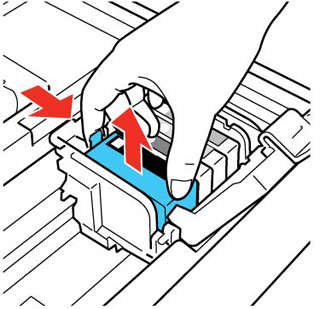
Measures to Prevent Printhead Clogging
In addition to cleaning the printheads regularly, there are some preventive measures that can be taken to reduce the possibility of printhead clogging:
- Use original ink: Try to avoid using compatible ink or low-quality ink, as they may cause printhead clogging or affect print quality. Choosing original Epson ink can ensure the stability and reliability of your printer.
- Print regularly: Not using the printer for a long time may cause the ink to dry out and the nozzles to clog. Therefore, it is recommended to print some documents or pictures regularly to keep the printhead moist and smooth.
- Replace the ink tank promptly: If the ink tank has been used up, do not wait until the ink is completely exhausted before replacing it. Timely replacement of ink tanks can avoid printhead clogging and print quality degradation.
- Avoid dust and impurities: Keep the printer’s working environment clean to prevent dust and impurities from entering the inside of the printer. Using a printer cover or dust cover can effectively protect your printer from dust.
- Regular maintenance: Follow the recommendations in the Epson printer user manual to perform regular maintenance and upkeep to ensure the normal operation and print quality of the printer.
How to Extend the Service Life of Printheads
In addition to avoiding printhead clogging, we can also take the following measures to extend the service life of the printhead:
- Use the printer correctly: Following the instructions, and using and maintaining the printer correctly is the key to maintaining the longevity of the printhead.
- Do not cut off the power supply during operation: During the process of cutting off the power supply, the ink will not be able to return to the ink cartridge normally, so the printhead will easily lose its softness.
- Avoid using certain cleaning fluids: When using cleaning fluids, be sure to read the instructions and avoid using cleaning fluids that are harmful to the printhead.
In general, the problem of Epson printhead clogging is common. We can reduce printhead clogging and extend service life through proper cleaning and maintenance.


