
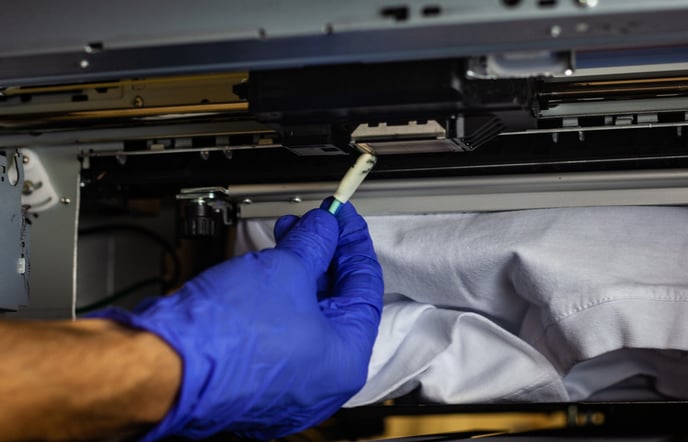
In wide-format printing, UV printing, and industrial coding applications, the printhead is the most delicate and expensive component in the entire system. When issues like nozzle clogging, missing lines, or unstable ink output appear, many users instinctively try to “clean it more.”
But here’s the reality:
Improper cleaning is one of the leading causes of permanent printhead damage.
This article breaks down the most common printhead cleaning mistakes and explains how to protect your printhead with safer, more professional practices.
Why Printhead Cleaning Requires Precision
A printhead is not just a simple mechanical part—it’s a combination of:
- Micron-level nozzle arrays
- Piezoelectric or thermal elements
- Multi-layer electronic circuits
- Flexible flat cable (FPC) connections
That means any cleaning process involves mechanical, chemical, and electrical risks.
Most failures fall into three categories:
- Chemical damage (wrong cleaning agents)
- Physical damage (excessive force)
- Electrical damage (static discharge or powered cleaning)
10 Critical Printhead Cleaning Mistakes to Avoid
1. Using Household Cleaning Substitutes
Alcohol, detergents, unknown solvents, or paper towels may seem convenient—but they can:
- Corrode nozzle electrodes
- Leave fibers that clog nozzles
- Scratch sensitive surfaces
Best Practice:
Always use a dedicated printhead cleaning solution and lint-free wipes
2. Using Low-Quality Cleaning Fluids
Cheap or unverified cleaning liquids often contain the following:
- Impurities → secondary clogging
- Unstable pH → corrosion
- Aggressive solvents → coating damage
Best Practice:
Use manufacturer-approved or compatible cleaning solutions only
Avoid mixing different brands or formulations
3. Ignoring Electrostatic Discharge (ESD) Protection
Printhead circuits are highly sensitive to static electricity:
- Human static discharge can reach thousands of volts
- A single discharge can permanently damage circuits
Best Practice:
- Wear an anti-static wrist strap
- Ensure proper grounding
- Avoid working in dry environments
4. Forcing Ink Through with High Pressure
Using air guns or syringes to “force clear” blockages can cause the following:
- Nozzle deformation
- Internal structure damage
- Piezo chamber failure
Best Practice:
- Use low-pressure flushing methods
- Apply controlled ink suction tools
5. Cleaning While the Printer Is Powered On
This is one of the most dangerous mistakes:
- Liquids can cause short circuits
- Risk of burning the printhead or mainboard
Best Practice:
- Always power off and unplug before cleaning
- Keep liquids away from electronic components
6. Soaking the Printhead for Too Long
Many believe “longer soaking = better cleaning,” but:
- Seals may degrade
- Internal metal parts may oxidize
- Piezo layers may delaminate
Best Practice:
- Limit soaking to under 30 minutes
- Use circulating micro-cleaning methods instead
7. Overusing Ultrasonic Cleaning
Ultrasonic cleaning can help, but excessive use can
- Loosen internal precision structures
- Damage piezoelectric elements (especially in high-end heads)
Best Practice:
- Keep each session under 2 minutes
- Allow cooling intervals between cycles
8. Improper Removal or Installation
Common issues include:
- Disconnecting cables while powered
- Forcing removal with tools
This may result in:
- Burnt circuits
- Misaligned nozzles
- Permanent accuracy loss
Best Practice:
- Fully power off before handling
- Use proper tools and follow manufacturer guidelines
9. Over-Cleaning the Printhead
Excessive cleaning can lead to:
- Piezo fatigue
- Nozzle wear
- Reduced lifespan
Best Practice:
- Stop cleaning once normal printing resumes
- Use nozzle test patterns to guide decisions
10. Reinstalling Before Fully Dry
Residual liquid in areas like the following:
- FPC connectors
- Circuit boards
- Nozzle plate edges
can cause:
- Short circuits
- Printhead failure
- Irreversible damage
Best Practice:
- Gently dry with a lint-free cloth
- Air dry in a ventilated environment
- Ensure 100% dryness before powering on
.jpg)
A Smarter Approach: Gentle, Controlled Cleaning
Instead of aggressive cleaning, adopt a structured approach:
Recommended Process:
- Run a nozzle test
- Use light automatic cleaning for minor issues
- Apply low-pressure flushing for moderate clogs
- Use staged cleaning for severe blockages
Key principle:
Low pressure, short duration, controlled cycles
Final Thoughts: Good Maintenance Is About Restraint
Most printhead failures are not caused by a lack of cleaning but by:
- Incorrect methods
- Excessive force
- Ignoring critical precautions
The goal is not to clean more but to clean correctly.


