
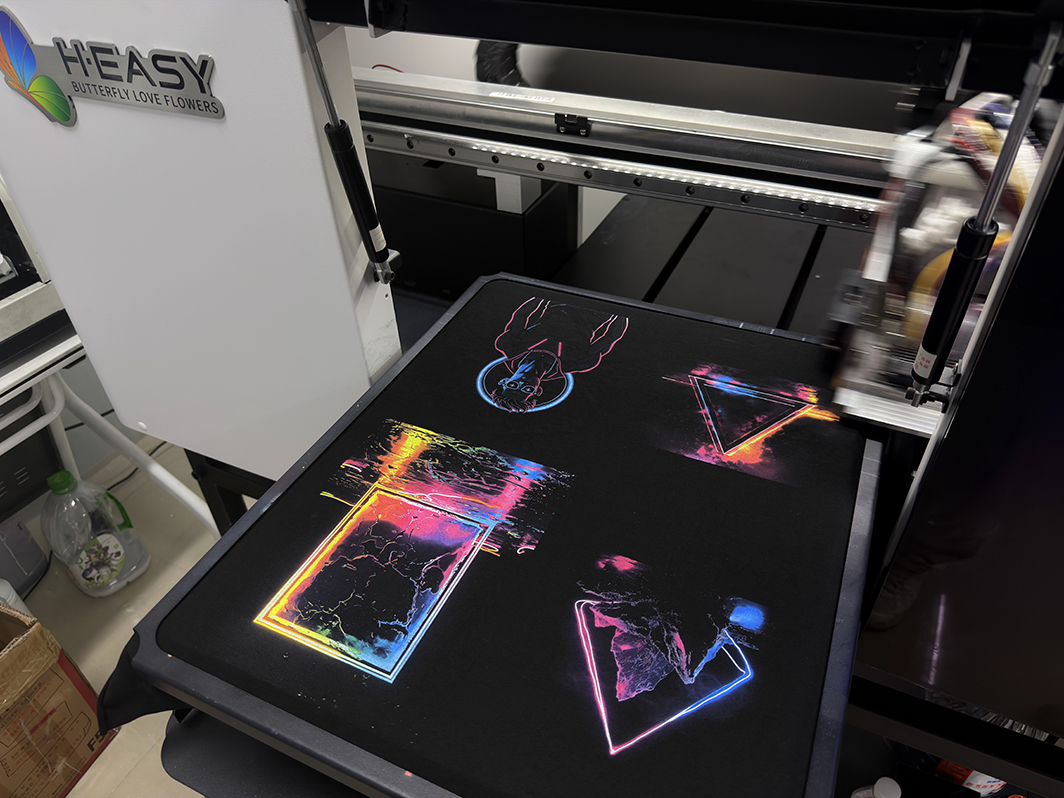
Direct-to-Garment (DTG) printing has transformed the custom apparel industry by enabling high-quality, full-color printing directly onto T-shirts, hoodies, tote bags, and other garments. However, owning a DTG printer is only half the equation. Consistent print quality and long-term profitability depend heavily on proper maintenance.
Unlike traditional printing equipment, DTG printers work with water-based textile inks, especially white ink containing titanium dioxide pigments that naturally settle over time. Without regular maintenance, clogged nozzles, inconsistent colors, poor white ink coverage, and costly printhead replacements can quickly become common problems.
The good news is that most DTG printer issues can be prevented through a structured maintenance routine. This guide covers everything you need to know about daily, weekly, monthly, and annual maintenance for DTG printers.
Why DTG Printer Maintenance Matters
Many DTG users assume maintenance is only necessary when a problem occurs. In reality, maintenance is what prevents those problems from happening in the first place.
A well-maintained DTG printer offers:
- Better print quality
- Consistent color output
- Reduced nozzle clogging
- Longer printhead lifespan
- Lower ink waste
- Less machine downtime
- Lower repair costs
White ink systems deserve particular attention. Because white ink contains heavy pigment particles, it can settle inside cartridges, dampers, ink lines, and printheads if not circulated regularly. Once dried inside a printhead, recovery can be difficult—or impossible.
Simply put, preventive maintenance is significantly cheaper than replacing a damaged printhead.
Daily DTG Printer Maintenance
Daily maintenance is the most important factor in keeping a DTG printer running reliably.
Perform a Nozzle Check Before Printing
Before starting production each day, run a nozzle check pattern.
A nozzle check helps identify:
- Missing nozzles
- Partial clogs
- White ink issues
- Ink flow interruptions
If any gaps appear, perform a cleaning cycle before beginning production.
Starting a print job with missing nozzles often leads to wasted garments, wasted ink, and dissatisfied customers.
Circulate White Ink
White ink naturally settles when left idle.
To prevent sediment buildup:
- Use the printer's automatic white ink circulation system if available.
- Gently shake white ink cartridges or bottles as recommended by the manufacturer.
- Avoid excessive shaking that may introduce air bubbles.
Even a few days of inactivity can cause pigment settling, making daily circulation essential.
Clean the Capping Station and Wiper Blade
The capping station keeps the printhead sealed and moist when not in use, while the wiper blade removes excess ink from the printhead surface.
Over time, both components accumulate:
- Dried ink
- Fabric lint
- Dust particles
- White ink residue
Dirty maintenance parts can prevent proper sealing, causing printheads to dry out overnight. Components such as capping stations, wiper blades, dampers, ink filters, and other DTG printer parts should be inspected regularly and replaced when worn.
At the end of each workday:
- Clean the capping station.
- Wipe the wiper blade.
- Remove excess ink buildup.
This simple task can dramatically reduce nozzle clogging.
Inspect the Printhead Area
Garment fibers, lint, and overspray can collect around the printhead during printing.
Carefully inspect:
- Printhead surroundings
- Print carriage area
- Ink residue buildup
Use approved cleaning tools and lint-free wipes to remove contamination.
Never touch or scrub the nozzle surface aggressively, as this may permanently damage the printhead.
Check Ink Levels and Waste Ink System
Low ink levels can introduce air into the ink system, while a full waste tank can cause cleaning failures.
Daily checks should include:
- Ink levels
- Waste ink bottle
- Waste ink tubing
- Ink supply connections
Keeping the ink system stable helps maintain consistent print performance.
Weekly DTG Printer Maintenance
Weekly maintenance focuses on keeping the printer's motion and positioning systems operating accurately.
Clean the Encoder Strip
The encoder strip tells the printer carriage exactly where it is positioned.
If dust or ink accumulates on the strip, you may experience:
- Print misalignment
- Double images
- Blurred graphics
- Positioning errors
Carefully clean the encoder strip using approved cleaning materials.
Never bend or scratch the strip.
Clean Rails, Belts, and Moving Components
DTG environments often generate more lint and dust than standard office printing environments.
Inspect:
- Carriage rails
- Drive belts
- Pulleys
- Linear guides
Remove debris and follow manufacturer recommendations regarding lubrication.
Smooth carriage movement is essential for maintaining print accuracy.
Clean the Platen
Ink overspray, pretreatment residue, lint, and adhesive buildup can affect garment positioning.
Each week:
- Wipe down the platen.
- Remove residue.
- Check for flatness and alignment.
A clean platen improves print consistency and reduces the risk of head strike.
Monthly DTG Printer Maintenance
Monthly maintenance focuses on the entire ink delivery system and long-term print stability.
Inspect Ink Lines, Dampers, and Filters
Examine the ink system for:
- Air bubbles
- Sediment buildup
- Ink contamination
- Leaks
- Restricted ink flow
Dampers and filters gradually wear out and may require replacement depending on production volume.
Ignoring worn dampers often leads to intermittent nozzle loss and color inconsistency.
Perform Deep Cleaning Procedures
Monthly deep maintenance may include:
- Ink system cleaning
- Waste line inspection
- Capping station inspection
- Internal cleaning around service areas
Always use cleaning solutions specifically designed for your ink type.
Using incompatible cleaning fluids may damage the printhead or ink system.
Verify Print Alignment and Color Accuracy
As printers age, calibration can drift.
Check:
- Bidirectional alignment
- Printhead alignment
- Color consistency
- White underbase accuracy
Routine calibration ensures professional print quality and reduces production waste.
Quarterly Maintenance
Every three months, conduct a more comprehensive inspection of wear-and-tear components.
Pay close attention to:
- Wiper blades
- Capping stations
- Dampers
- Ink filters
- Waste ink tubes
- Belts
- Bearings
- Carriage movement
These consumable parts gradually degrade over time and should be replaced before they fail.
Preventive replacement is usually much less expensive than emergency repairs.
Annual DTG Printer Maintenance
Annual maintenance should focus on evaluating the overall health of the printer.
Review:
- Printhead condition
- Ink system performance
- Cleaning frequency records
- Production consistency
- Component wear
- Software and firmware updates
Questions to ask include:
- Has nozzle recovery become more difficult?
- Is white ink clogging more frequently?
- Are cleaning cycles increasing?
- Has print quality become less stable?
Addressing these issues early can help avoid major production interruptions.
Environmental Conditions Matter
Even the best maintenance routine cannot compensate for poor operating conditions.
For optimal DTG printing performance, maintain:
| Factor | Recommended Range |
|---|---|
| Temperature | 20°C–29°C (68°F–84°F) |
| Humidity | 50%–65% RH |
| Air Quality | Clean, low dust |
| Airflow | Avoid direct airflow on printer |
Low humidity accelerates ink drying inside the printhead, while excessive dust increases contamination risks.
Common DTG Problems and Their Causes
Missing Nozzles
Possible causes:
- Dried ink
- Dirty capping station
- White ink settling
- Air in ink lines
Banding or Streaking
Possible causes:
- Nozzle loss
- Incorrect alignment
- Ink supply issues
Poor White Ink Coverage
Possible causes:
- White ink sedimentation
- Inadequate circulation
- Partial nozzle blockage
Head Strikes
Possible causes:
- Garment wrinkles
- Uneven platen
- Incorrect garment height
Frequent Cleaning Requirements
Possible causes:
- Poor humidity control
- Dirty maintenance station
- Aging dampers
- Worn capping station
Best Practices for Maximizing DTG Printer Lifespan
Successful DTG operations typically follow a few simple principles:
- Run the printer regularly
- Perform daily nozzle checks
- Keep white ink circulating
- Clean maintenance components consistently
- Maintain proper humidity levels
- Replace consumable parts before failure
- Record maintenance activities
- Use manufacturer-approved inks and cleaning solutions
Final Thoughts
A DTG printer is a precision production machine, not a plug-and-play appliance. The difference between a printer that lasts several years and one that suffers constant breakdowns often comes down to maintenance habits.
By following a structured maintenance schedule—daily, weekly, monthly, quarterly, and annually—you can significantly reduce downtime, improve print quality, protect expensive printheads, and maximize your return on investment.
Remember: the best DTG maintenance strategy is preventive, not reactive. A few minutes of maintenance today can save thousands of dollars in repairs tomorrow.


