
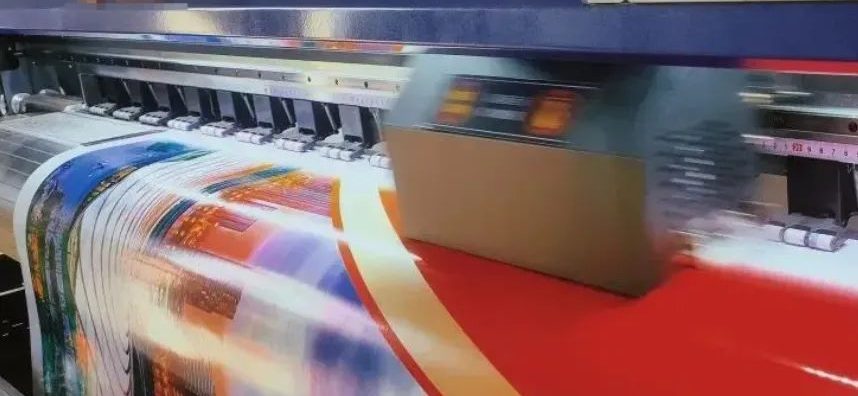
In the advertising production industry, eco-solvent printers are key equipment, and their performance directly affects work efficiency and output quality. However, eco-solvent printers are bound to have various faults in daily use, which brings inconvenience to work. That’s where printer troubleshooting becomes essential. Today, we’re breaking down six common faults of eco-solvent printers and how to fix them. With these solutions, you’ll be able to handle issues more easily and keep your workflow running smoothly.
The output of the eco-solvent printer is tilted.
The problem is usually caused by many factors. The following are six common reasons:
- The bearing is uneven.
- The paper pressure plate is damaged or deformed.
- The raster sensor is loose or faulty.
- The encoder strip is damaged.
- The motor is damaged.
- The printhead sub-PCB is faulty.
When an eco-solvent printer shows tilted print output, a step-by-step check is essential. Start by examining whether the bearings are balanced. Then, look closely at the paper press to see if it's damaged or deformed. Next, inspect the raster sensor and encoder strip for any signs of failure. If everything appears normal, proceed to check the motor and the printhead sub-PCB. By following this methodical troubleshooting process, you can quickly find the root cause and apply an effective solution.
Ink shortage in the eco-solvent printer
The following two common reasons usually cause the ink shortage in the eco-solvent printer during printing:
The following two common reasons usually cause the ink shortage in the eco-solvent printer during printing, and effective printer troubleshooting is essential to identify and resolve these issues:
1. The printhead of the eco-solvent printer is clogged: The ink of the printer is sprayed onto the printing medium through the fine nozzles of the printhead. Once the nozzles are clogged, the ink cannot be sprayed normally, resulting in ink shortage. When the nozzle is slightly clogged, use the printhead ink extraction and cleaning function to self-clean. If the nozzle is seriously clogged, it is necessary to remove the printhead from the machine, soak it in a special cleaning fluid, and perform a deep cleaning.
2. Leakage in the ink supply system of the eco-solvent printer: Any link in the ink supply system, such as the ink damper, ink tube, ink cartridge, etc., can cause leakage if there is a poor seal. Once the ink supply system leaks, the ink cannot be properly delivered to the printhead, causing an ink failure. Therefore, before starting to print, make sure that the ink cartridge cover is tightly closed, and the ink tube, ink damper, and the connections between them are well sealed without any leakage risks.
Paper jam in the eco-solvent printer
The problem of paper jam in the eco-solvent printer may be caused by the following aspects:
1. Stepper motor failure: The stepper motor plays an important role in pushing the paper forward in the eco-solvent printer. If the stepper motor fails, such as the motherboard is damaged or the sensor fails, the paper feeding process will be blocked, resulting in paper jam. At this time, the motor needs to be fully inspected and maintained, and replaced if necessary.
2. Abnormal paper feeding: If an eco-solvent printer experiences abnormal paper feeding, it may be due to debris on the platform blocking the paper. A malfunctioning paper feeder can also cause the system to stop and lead to paper jams. To resolve the issue, carefully inspect each part of the paper-feeding system. Remove any obstructions and check for damaged components. Repair or replace faulty parts as needed to restore normal operation.
3. Pinch roller problem: The pinch roller in an eco-solvent printer helps keep the paper flat and properly aligned during feeding. If the roller is stuck or pressed too tightly, it may cause uneven feeding or even paper jams. These issues disrupt the printing process and reduce efficiency. To fix the problem, inspect the pinch roller thoroughly. Adjust or replace it as needed to restore smooth paper movement.
The image has large particles
When the image printed by the eco-solvent printer has large particles, effective printer troubleshooting can help identify and solve the issue by focusing on the following aspects:
1. Printhead blockage: Printhead blockage may cause uneven ink spraying and form a granular image. In this case, you can first use the ink extraction and cleaning function to clean the printhead. If the blockage is serious, the printhead needs to be removed and soaked in cleaning fluid for deep cleaning.
2. Printhead calibration problem: If the printhead is not accurately calibrated, it may also cause large print particles. At this time, the printhead should be calibrated in both directions to ensure accurate positioning and uniform ink spraying.
3. Encoder strip problem: If the encoder strip is dirty or damaged, it can affect the printer’s positioning accuracy and cause grainy prints. To resolve this, gently clean the strip with a cotton swab and cleaning fluid. If the strip is badly damaged, replacing it is recommended to ensure proper print quality.
4. Driver software problem: If the driver software is installed incorrectly or incompletely, it can disrupt printing and cause grainy output. To fix this, fully uninstall the existing driver. Then, reinstall it carefully following the correct installation steps. This ensures the printer functions properly and produces clear prints.
5. Beam problem: If the grains in a certain area of the printed image are obviously coarser, there may be a problem with the beam. This problem can be effectively solved by adjusting the position and state of the beam.
Blurred images printed by eco-solvent printers
The phenomenon of blurred images printed by eco-solvent printers is mainly caused by the following reasons, and effective printer troubleshooting can help identify and resolve these issues:
1. Unsuitable working environment temperature: It is recommended to keep it between 15°C and 30°C. Temperatures that are too high or too low may affect the normal operation of the machine and the ink-spraying state, resulting in blurred printed images. Therefore, the photo machine should be placed in an environment with a suitable temperature as much as possible.
2. Ink quality problem: Poor quality ink contains more impurities and unstable viscosity, which interferes with the normal spraying and adhesion process of the ink, making the printed image blurred. It is recommended to use reliable quality ink, such as original manufacturer ink, to ensure printing quality.
3. Printhead blockage: Printhead blockage is also one of the common reasons for blurry printing. Using inferior ink or not cleaning the nozzle in time may cause nozzle blockage. To avoid this problem, you should choose high-quality ink and maintain and clean the nozzle regularly.
Color cast of the output image
The color cast of the output image of the photo machine is a more complicated problem, and effective printer troubleshooting is crucial to identify the root causes, which may involve the following aspects:
1. Wrong selection of printing mode: There are two main color modes in the drawing software: RGB and CMYK. RGB has a wider color gamut and is suitable for electronic image display, while CMYK has a narrower color gamut and is designed for printing images. If the RGB mode is incorrectly selected when printing images, the output image is prone to color cast.
2. Printhead ink cross-linking: The printhead is a precision accessory that will gradually wear and age during long-term use, and printhead ink cross-linking may occur. Different colors of ink mix with each other, which will cause the output image to be color-cast. At this time, the damaged printhead should be replaced in time to ensure the accuracy of the printed color.
3. Computer configuration issues: Differences in computer configuration, especially differences in resolution, will have a certain impact on the color of the printed image. A computer with too low a configuration may not be able to accurately process the image color information, which will lead to a color cast in the output image. Therefore, it is recommended to use a computer with a moderate configuration for printing operations to ensure accurate color reproduction.
4. Ink and eco-solvent printer brand do not match: If the printer and ink used are not of the same brand, compatibility issues may occur, affecting the color reproduction effect. The same brand of printer and ink has better coordination in color performance, which can effectively avoid color cast problems. Therefore, it is recommended to use ink products that match the photo machine brand.
Mastering the solutions to these faults through effective printer troubleshooting can help us respond to emergencies in a timely manner and reduce the impact of equipment failures on work. At the same time, we must also regularly maintain the photo machine to extend the service life of the equipment and provide more stable and reliable support for our work.


