
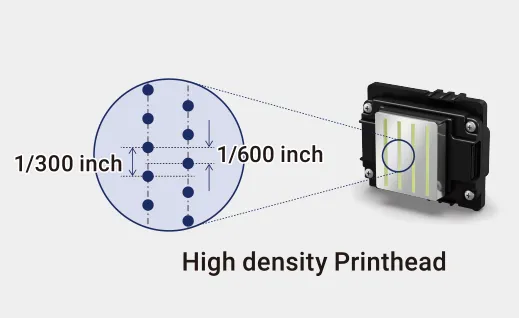
The Epson I3200 series is widely used in industrial inkjet applications because it combines high nozzle density, variable droplet technology, and stable piezoelectric performance. Based on Epson’s PrecisionCore thin-film piezoelectric technology, the I3200 series uses 3,200 nozzles and variable droplet technology to balance productivity and image quality. For a deeper look at the I3200 series structure, PrecisionCore technology, VSDT, and major performance characteristics, see our An Analysis of Epson I3200 Printheads: A1, E1, U1.
However, even a high-quality printhead can suffer from nozzle loss, ink buildup, clogging, or permanent damage when the ink delivery system, operating environment, or maintenance routine is poorly controlled.
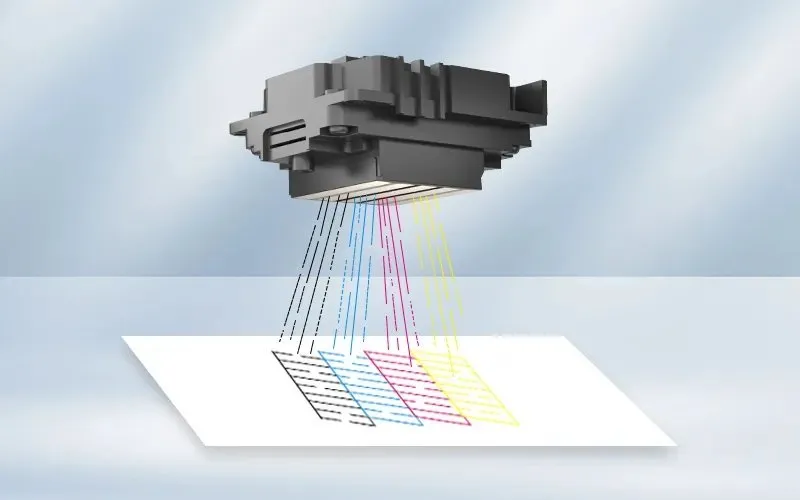
For printer operators, technicians, and maintenance engineers, extending I3200 printhead life is not simply a matter of cleaning the printhead more frequently. Long-term stability depends on the entire inkjet system working together.
For UV printing applications, the most important factors include stable meniscus control, compatible ink, correct negative pressure, effective white-ink circulation, environmental control, UV light protection, and proper daily maintenance.
This guide explains the practical factors that affect Epson I3200 U1 printhead life and provides a systematic approach to installation, adjustment, maintenance, and troubleshooting.
1. Understand What Determines I3200 U1 Printhead Life
The Epson I3200 is a PrecisionCore thin-film piezoelectric printhead with 3,200 nozzles. Its variable droplet technology allows the printhead to produce different droplet sizes, helping printers balance productivity and image quality.
However, the printhead does not operate independently. Its performance is closely connected to:
-
Ink viscosity and formulation
-
Ink supply pressure
-
Negative pressure stability
-
Damper and filter condition
-
Ink circulation
-
Printhead-to-media distance
-
Waveform settings
-
Ambient temperature and humidity
-
Capping and cleaning performance
-
UV light exposure
-
Operator maintenance practices
A printhead that is mechanically intact can still develop unstable firing if one of these conditions is outside its normal operating range.
Therefore, the correct approach is to protect the entire ink delivery and printhead maintenance system, rather than treating the printhead as an isolated component.
Before discussing printhead maintenance, it is important to make sure that the printhead is matched with the correct ink system. The Epson I3200 series includes different versions designed for different ink chemistries, including the I3200-A1 for water-based inks, I3200-E1 for eco-solvent inks, and I3200-U1 for UV inks. Using the correct printhead for the intended ink system is an essential first step in maintaining stable performance. For a detailed comparison of the three models and practical selection advice, see our Epson I3200 Printhead: A1, U1, E1—How to Choose?.
2. Keep the Printhead Meniscus Stable
In a negative-pressure ink supply system, ink is not simply pushed into the printhead. Instead, a controlled negative pressure helps maintain the ink at the nozzle surface and keeps the meniscus stable.
For many I3200 UV printing systems, a commonly used negative-pressure range is approximately -2.2 to -3.2 kPa, but the actual working value should always be determined according to the printer structure, ink characteristics, ink-path design, and manufacturer’s specifications.
What happens when negative pressure is too high?
-
Missing nozzles
-
Unstable ink supply
-
Difficult startup
-
Increased risk of air entering the ink path
-
Weak or intermittent ink ejection
What happens when negative pressure is too low?
-
Ink accumulation around the nozzle plate
-
Ink dripping
-
Dirty nozzle surfaces
-
Unstable droplet formation
-
Increased risk of ink contamination and UV curing
The goal is not to use the strongest possible negative pressure. The objective is to establish a stable operating point that matches the printhead, ink, and ink-delivery system.
3. White Ink Requires Continuous Ink Circulation
White ink deserves special attention because pigment sedimentation is one of the most common causes of instability in white-ink printing systems.
Titanium dioxide, which is commonly used as the white pigment, has a relatively high density and can settle when the ink remains stationary for an extended period.
A properly designed white-ink system should therefore include an appropriate circulation loop.
The purpose of circulation is not to move the ink as quickly as possible. It is to keep the pigment uniformly suspended throughout the ink path.
Excessive circulation speed can introduce air bubbles into the system. These bubbles may enter the damper or printhead and cause intermittent nozzle loss.
A practical rule is: Use sufficient circulation to keep white pigment moving, but avoid unnecessarily aggressive flow.
4. Control Temperature and Humidity
The printing environment can have a direct effect on inkjet stability.
For many UV inkjet applications, a working environment around 20–28°C with 45–55% relative humidity is commonly used. The suitable range ultimately depends on the specific ink and printer manufacturer’s requirements.
Low temperature: Ink viscosity can increase, affecting droplet formation and placing additional demands on the printhead’s firing system.
Low humidity: Very dry air can accelerate solvent evaporation from exposed ink on the nozzle surface and increase the possibility of nozzle drying.
Excessive humidity: High humidity can also affect ink behavior, drying characteristics, and the overall printing environment.
Environmental control should therefore be treated as part of printhead maintenance.
5. Protect the I3200 from Static Electricity
Electrostatic discharge is another factor that should not be ignored when working with precision electronic components.
During installation and maintenance, technicians should use appropriate ESD protection, including an anti-static wrist strap and a properly grounded work environment.
Before replacing a printhead:
-
Switch off the equipment according to the manufacturer’s procedure.
-
Confirm that the printer is properly grounded.
-
Use ESD protection when handling the printhead and electronic connections.
-
Avoid touching the nozzle plate or electrical contacts directly.
-
Inspect the FFC cable and connector for contamination or damage.
6. Keep UV Light Away from the Nozzle Area
If UV light reaches ink residue on the nozzle plate, the ink can cure directly on the printhead surface. Over time, this may interfere with nozzle firing and make cleaning increasingly difficult.
Pay particular attention to:
-
Printhead carriage design
-
UV lamp direction
-
Reflection from the media surface
-
Capping station position
-
Printer idle position
When the printer is not printing, the printhead should return to the capping station so that the nozzle surface can remain protected and properly maintained.
7. Follow a Controlled Procedure When Installing a New I3200
Incorrect installation can shorten printhead life before the printer even produces its first image.
Before installing a new printhead, inspect the entire related ink path:
-
FFC cables and connectors
-
Dampers
-
Ink tubes
-
Filters
-
Ink pump
-
Ink tank
-
Negative-pressure system
-
Capping station
-
Wiper blade
-
Ink leakage around connections
When filling the ink path, introduce ink gradually. Avoid suddenly pulling a large amount of ink through the new printhead.
The ink path should be purged progressively. First remove air from upstream components such as the ink bag and damper, then carefully remove remaining air from the printhead ink channels.
After each ink channel has been stabilized, perform a nozzle check.
8. Adjust Printhead Height Carefully
For many applications, a printhead height of approximately 1.5–3 mm may be used, but the correct value depends on the printer structure, media characteristics, and application.
If the printhead is too far from the substrate:
-
Droplets can be affected by airflow.
-
Dot placement accuracy may decrease.
-
Image edges can become less sharp.
-
Mist or satellite droplets may become more noticeable.
If the printhead is too close:
-
Uneven media can collide with the nozzle plate.
-
Ink may accumulate more easily on the nozzle surface.
-
A head strike can cause permanent physical damage.
9. Do Not Copy Waveform Settings Blindly
Waveform settings control how the piezoelectric actuator moves and therefore have a direct effect on droplet formation.
There is no universal waveform file that can simply be copied from one printer to another.
Even when two printers use the same I3200 printhead, their ink formulation, viscosity, temperature, ink path, negative pressure, drive electronics, print speed, and printing mode may differ.
After changing a waveform or related drive parameter, always evaluate the nozzle test and actual print output.
Symptoms such as satellite droplets, ink mist, trailing, irregular dot formation, or weak firing may indicate that the waveform and current ink conditions are not properly matched.
10. Daily Maintenance Is More Important Than Aggressive Cleaning
More cleaning does not automatically mean better printhead protection.
A better strategy is to prevent contamination and drying before aggressive cleaning becomes necessary.
Before daily operation, inspect:
-
Capping station sealing
-
Wiper condition
-
Nozzle surface
-
Ink residue
-
Damper condition
-
Negative-pressure stability
-
Ink circulation
For minor nozzle loss, start with the least aggressive cleaning method recommended for the printer and ink system.
11. Use the Correct Printhead Cleaning Solution
Cleaning chemistry must be compatible with the ink and printhead.
For UV printers, use a printhead cleaning solution specifically formulated for the relevant UV ink system.
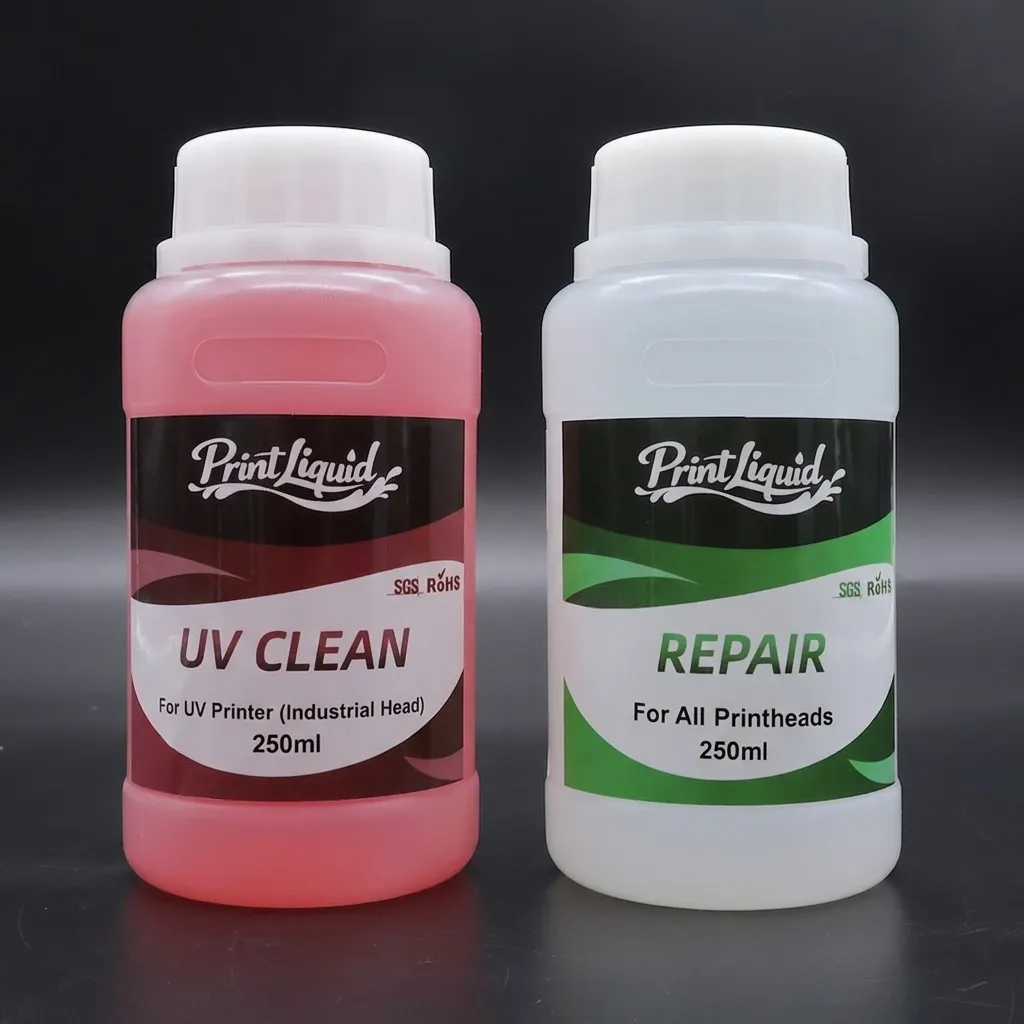
Avoid using alcohol or other unsuitable solvents directly on the nozzle surface unless they are explicitly approved for that printhead and ink system.
During manual cleaning:
-
Use lint-free materials.
-
Apply only the required amount of cleaning solution.
-
Avoid excessive mechanical pressure.
-
Do not scratch the nozzle plate.
-
Do not allow contaminated cleaning liquid to flow back into the ink system.
12. Proper Shutdown Helps Prevent Nozzle Drying
Before switching off the printer:
-
Perform the required nozzle check or cleaning procedure.
-
Return the carriage to the capping position.
-
Confirm that the cap properly contacts the nozzle surface.
-
Check that the capping station contains the appropriate maintenance liquid when required.
-
Make sure the printhead is protected from air exposure and UV light.
For white-ink systems, longer shutdown periods require additional preparation. Follow the printer and ink manufacturer’s recommended circulation, flushing, or preservation procedure.
13. Use the Nozzle Test as a Diagnostic Tool
The nozzle test can provide clues about the condition of the ink delivery system.
Localized missing lines may indicate air inside the damper, a partially blocked filter, ink-path restriction, or localized nozzle contamination.
Missing nozzles at a fixed position after startup may point to capping station sealing, wiper condition, nozzle drying, or ink residue around the cap.
Large amounts of satellite droplets may be associated with incorrect waveform, negative-pressure instability, ink viscosity variation, or incorrect firing conditions.
Random nozzle loss with white ink should prompt inspection of pigment sedimentation, circulation performance, filter condition, damper condition, and air bubbles.
14. A Practical Troubleshooting Sequence
When an I3200 suddenly develops unstable printing, avoid immediately removing the printhead.
Step 1 — Check negative pressure
Confirm that the pressure is stable and appropriate for the current ink system.
Step 2 — Inspect ink circulation
For white ink, verify that pigment remains properly suspended and that the circulation loop is operating normally.
Step 3 — Check dampers and filters
Look for blockage, air accumulation, contamination, or abnormal ink flow.
Step 4 — Inspect the capping and wiping system
Check whether the cap seals correctly and whether the wiper is contaminated or damaged.
Step 5 — Check for air bubbles
Inspect the ink tubing, connections, dampers, and pump for possible air ingress.
Step 6 — Review waveform and printing parameters
If the ink delivery system is stable, evaluate the drive waveform and printing settings.
Step 7 — Perform appropriate cleaning
Only after identifying the likely cause should the corresponding cleaning or flushing procedure be performed.
15. The Printhead Is Only One Part of the System
Extending the service life of an Epson I3200 U1 is not about finding one perfect parameter.
A stable printing system depends on the interaction between:
Printhead + Ink + Negative Pressure + Ink Path + Environment + Waveform + Maintenance
A high-quality printhead can still perform poorly when the ink system introduces air, the pressure is unstable, white ink is allowed to settle, or UV light cures residue on the nozzle surface.
Conclusion
The Epson I3200 is designed for demanding industrial inkjet applications, but its long-term performance depends heavily on how the complete printing system is configured and maintained.
To protect an I3200 U1 printhead:
-
Maintain stable negative pressure.
-
Use ink compatible with the printhead and ink system.
-
Keep white ink circulating properly.
-
Control temperature and humidity.
-
Protect the nozzle area from stray UV light.
-
Maintain reliable grounding and ESD protection.
-
Keep the printhead at a safe printing height.
-
Match waveform settings to actual ink and machine conditions.
-
Use compatible cleaning solutions.
-
Keep the capping station and wiper in good condition.
-
Diagnose the ink path before repeatedly performing strong cleaning.
In industrial inkjet printing, printhead life is rarely determined by the printhead alone. A stable ink supply system and disciplined maintenance routine are equally important to maintaining consistent nozzle performance and reducing unnecessary printhead replacement.


