
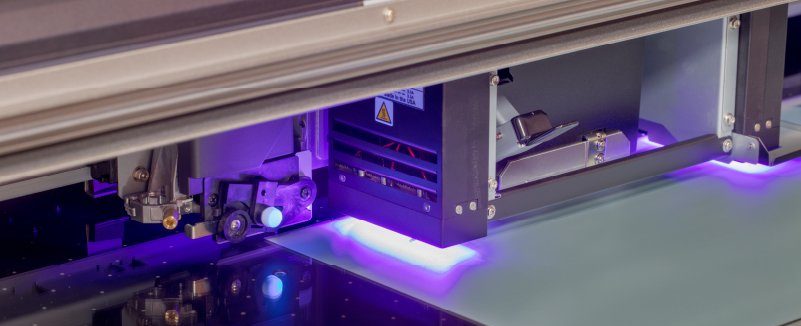
Many users said that static electricity is generated when using UV printers.
How Does Static Electricity in UV Printers Come About?
1. Weather factors, especially in the south, where the climate is humid. When there is a thunderstorm, there are more ions in the air. The equipment itself is made of metal, which is very easy to cause static electricity;
2. Internal design problems of the equipment, involving the circuit part, should be protected and insulated to avoid static electricity on the printing platform and the head.
3. Static electricity is generated by friction during the movement of the carriage.
Harms Caused by Static Electricity
1. It seriously affects the accuracy of the pattern printed by the UV printer, affects normal ink jetting, and causes unclear patterns and intermittent lines.
2. It causes the circuit to cross, which can cause a short circuit, burn out the board, and clog the printhead.
How to Eliminate Static Electricity in UV Printers?
1. Install the corresponding ground wire to direct the electricity to the earth.
2. Do not open doors and windows in thunderstorms.
3. The socket box circuit and voltage selected by the equipment should be set according to the requirements specified by the manufacturer, and do not match them at will.
4. Wipe alcohol with non-woven cloth on the surface of some substrates to eliminate static electricity.
How to Avoid Static Electricity from Damaging the Printhead of a UV Printer?
1. Prevent the printhead socket from oxidation, and do not touch the socket with your hand.
2. Prevent the printhead from being damaged. During the installation process, you must pay attention to whether the socket is aligned and then inserted.
3. Prevent the printhead circuit from burning out and keep it working in a good heat dissipation environment.
4. In order to avoid component damage caused by static electricity, when operating the printhead or touching the printhead plug board, be sure to remove static electricity first.
5. After turning on the machine, run the cleaning function first; if there is disconnection during printing, the print head needs to be cleaned. If the printhead is seriously blocked, you can draw ink first. If it still cannot be solved, you can use cleaning fluid to clean it.
It is worth noting that if you encounter the off-season and there are not many orders, you should also run the machine print test regularly to keep the print head in normal condition at all times and do not leave it alone for a month.


