Precautions for Operating a Large Format Printer
1. The large format printer is sensitive to static electricity, and the ground wire of the equipment should be handled at one time under the guidance of the installer.
2. When operating the control panel or printhead, be sure to cut off the main power supply of the inkjet printer and take anti-static measures.
3. The inkjet files in the computer system should be cleaned up at any time to ensure that there is enough space on the hard disk.
4. When using the inkjet software, other programs cannot be opened, and two inkjet programs cannot be opened.
5. Files cannot be transferred to the computer controlling the inkjet printer during the inkjet printing process.
6. The parameter settings of the computer system cannot be changed casually, especially when reinstalling the system, the settings must be accurate.
7. The data transmission cable in the drag chain should be checked regularly for wear and tear to ensure that there is no open circuit, short circuit, or signal interference.
8. If the inkjet cloth is too large to carry, it will cause horizontal stripes or scraping of the cloth on the screen, and it will also make the step size of the inkjet cloth inaccurate. The inkjet cloth can be opened a little to make the cloth run evenly.
9. The parameters of the vertical step distance are adjusted in the driver software. The adjustment method is shown in the software instructions.
10. The noise of the carriage is increased. Check the wear of the slider or the head and tail frame bearings.
11. The carriage cannot be pushed when the motor is energized; otherwise, various dislocation phenomena are easily caused.
12. The parameters of the driver have been adjusted at the factory, and the user cannot change them without authorization. If the motor fails during use, please observe the motor alarm signal in detail and have a professional refer to the manual to handle it.
13. The tension of the synchronous belt should be appropriate. It is not good to be too tight or too loose. Use the adjustment bolt to adjust.
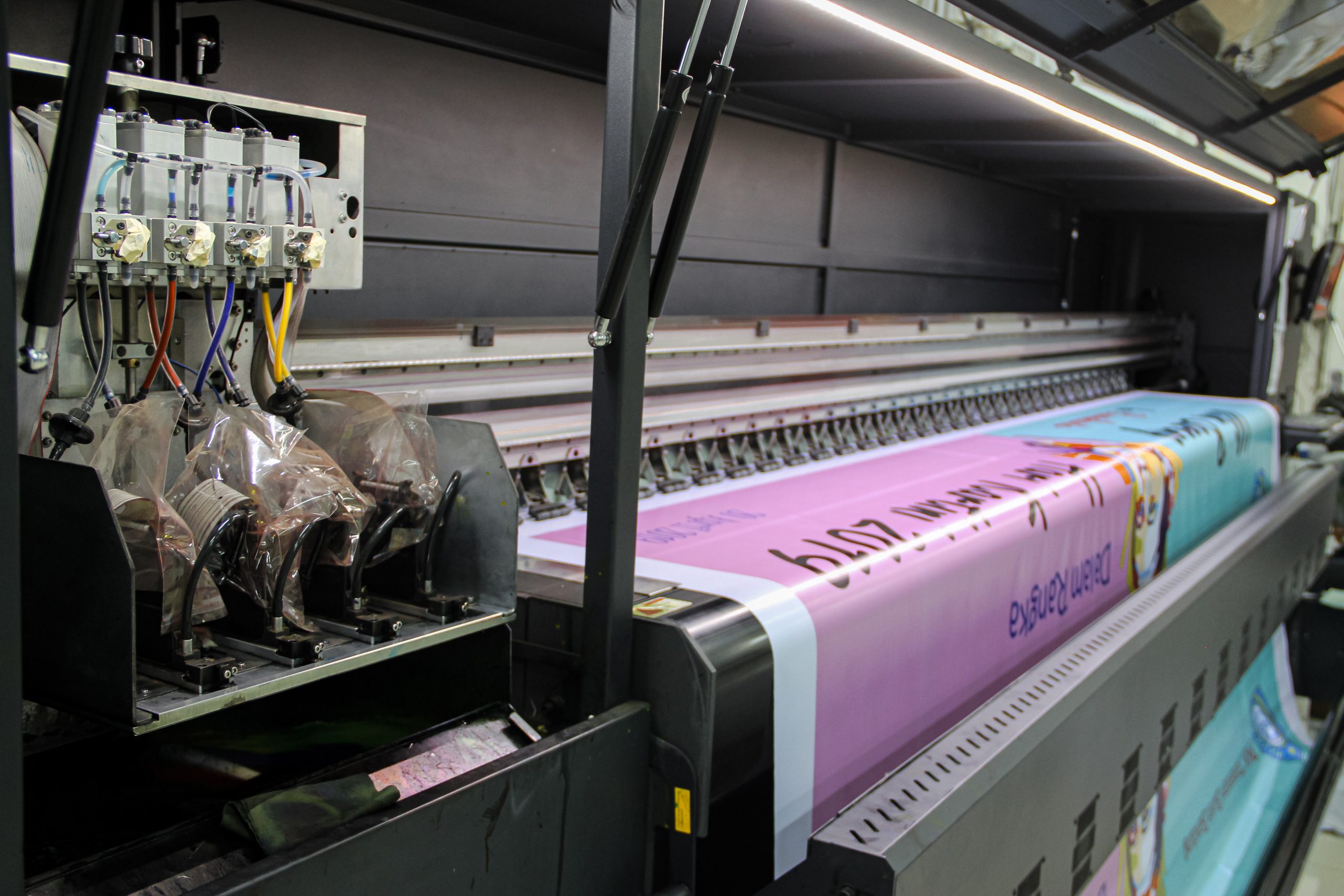
14. Each pipe interface of the ink supply system must be guaranteed to be leak-free. Check whether the ink supply of the ink cartridge is normal; ensure that there is no air leakage at the interface of the ink supply pipe of the printhead and that there are no bubbles in the ink supply pipe; otherwise, there will be insufficient ink supply.
15. If the ink supply speed is found to be slow, the ink filter must be checked or replaced.
16. The ink should be supplied before the printhead is powered on, because the ink is the main way to take away the heat of the printhead.
17. Use a carriage cover when the inkjet printer is working to prevent the ink from contaminating the printhead, connection port, printhead color separation board, etc. Otherwise, it is easy to cause a short-circuit accident and damage the printhead.
Maintenance of Large Format Printer
The maintenance and care of large format printers are mainly divided into three parts: A. pay attention to a good use environment; B. the maintenance of the whole machine; C. the necessary maintenance of printheads.
A. Clean working environment
1. The internal structure of the large format printer has a precise print head, so avoid mechanical collision and vibration during placement and daily use. The machine should be placed stably.
2. Since the nozzle aperture size of the print head is equivalent to the dust floating in the space, if the working environment is too bad, it will cause the nozzle to be blocked. So keep the environment clean.
3. The working environment temperature of the inkjet printer should not be too high to prevent the mechanical parts and print heads of the inkjet printer from rusting.
B. Use and maintenance of the whole machine
1. As for the maintenance of the whole large format printer, the main thing is to pay attention to the cleanliness of the inside of the printer, so regular cleaning of the whole machine is a daily work for users. Due to the infestation of dust and printing debris in the air, it is easy to damage the fragile main printing parts of the printer, causing printing failures. Therefore, in addition to providing a good working environment, you must also develop a good habit of cleaning the printer regularly. When cleaning, generally wipe the outside of the machine with clean water to remove the deposited dust. Then use a soft brush, smooth dry cloth or alcohol cotton ball to clean the inside of the printer and wipe off all the dust inside the machine. Note: The main power of the machine must be turned off before cleaning.
2. Clean the bearings and guide rails of the inkjet printer regularly and apply engine oil.
3. Regularly replace or clean the filter and ink supply system.
C. Maintenance of printheads
1. After the large format printer is installed and at the initial stage of equipment activation, perform maintenance on the printheads
1) To ensure that the printheads are in the best working state, please use one to two days to print as many images as possible before the equipment officially starts working. It is best to use all four colors of CMYK, and add C, M, Y, K test strips on both sides of the image to ensure that all printheads are always in the inkjet state.
2) When printing, it is best to remove the sponge from the cleaning end of the machine together with its bracket.
2. Maintain the printhead after work is completed every day
1) Turn off the power of the equipment
2) First clean the moisturizing sponge or plastic wrap with a special cleaning liquid, and then pour the cleaning liquid on it.
3) Move the inkjet printer head back to the cleaning end of the machine and make the printhead nozzle tightly combined with the moisturizing sponge or plastic wrap.
4) Keep this state and let the equipment stay overnight.
3. What to do if the large format printer is not expected to be used for several days
If the equipment is expected to be unused for more than two days, the ink in the printhead must be cleaned; otherwise, the ink in it will dry up due to the gradual evaporation of the solvent and even cause irreversible damage to the printhead in severe cases. The treatment method is as follows:
1) Turn off the power of the inkjet printer.
2) Move the carriage to the cleaning position and place a corrosion-resistant container under the printhead to hold the cleaning waste liquid.
3) Use a glass syringe to extract or directly pour out the ink in the secondary ink cartridge, and then clean the ink cartridge with a special cleaning liquid.
4) Unplug the ink supply tube (from the secondary ink cartridge) on the printhead, and then use a glass syringe to extract a special cleaning liquid to clean it. Do this several times. Finally, do not blow out the remaining cleaning liquid in the head. Be sure to leave enough cleaning liquid inside it, because the cleaning liquid can keep the nozzle warm.
5) Put the treated printhead into a clean, corrosion-resistant container and seal it for storage.