
Low temperatures can significantly affect ink performance and printhead reliability, making proper maintenance essential for stable printing results. This guide explains how to maintain printheads in low-temperature environments, focusing on practical cleaning methods, correct ink system handling, and the use of suitable maintenance kits to reduce clogging risks and extend printhead life.
In wide-format inkjet printers, including eco-solvent, UV flatbed, and hybrid systems, the printhead is the most precise, valuable, and environmentally sensitive component. During winter or in low-temperature environments, issues such as ink starvation, nozzle dropout, misting, and so-called “false clogging” occur more frequently. Without proper maintenance, these problems can seriously affect print quality and significantly shorten printhead lifespan.
This article provides a professional and practical guide to understanding how low temperature, low humidity, static electricity, and dust affect printheads—and how to protect them through correct operation and reliable maintenance solutions.
1. How Low Temperature Affects Printhead Performance
1.1 Increased Ink Viscosity and “False Clogging”
As ambient temperature drops, ink viscosity naturally increases. In high-speed printing, thicker ink struggles to jet smoothly, leading to nozzle dropout or broken lines. This is often mistaken for true nozzle clogging. After cleaning, the printhead may temporarily recover, only for the problem to return shortly afterward.
In most cases, this phenomenon is not caused by defective ink or damaged printheads, but by reduced ink fluidity under low-temperature conditions.
1.2 Reduced Ink Absorption and Drying Performance
Low temperatures negatively affect both media coating absorption and solvent evaporation. As a result, ink may remain on the surface longer, causing ink buildup, image blur, and increased risk of head strikes, all of which threaten printhead safety.
2. Risks Caused by Low Humidity in Winter
2.1 Ink Drying on the Nozzle Plate
Winter heating systems, whether air conditioning or central heating, significantly reduce relative humidity. In dry environments, ink on the nozzle plate evaporates more quickly, forming residue that mimics clogging and disrupts normal inkjetting.
2.2 Media Deformation and Head Strike Risk
Low humidity can cause certain media, such as PP paper and synthetic materials, to curl or warp. Even slight media deformation can lead to head strikes, potentially damaging the nozzle plate, carriage, or motion system components.
3. Static Electricity and Dust: Hidden Threats
3.1 Static Electricity Damage
Low humidity increases static electricity. Printheads and control boards contain highly sensitive integrated circuits that can be damaged by electrostatic discharge. In addition, static charge on media may deflect ink droplets during jetting, causing misting or overspray and degrading print quality.
3.2 Dust and Fiber Contamination
Dust and fine fibers from printing materials are more likely to adhere to surfaces in static-prone environments. Since nozzle diameters are comparable to dust particle size, even minor contamination can result in nozzle blockage or unstable jetting.
4. Printhead Structure and the Importance of Maintenance
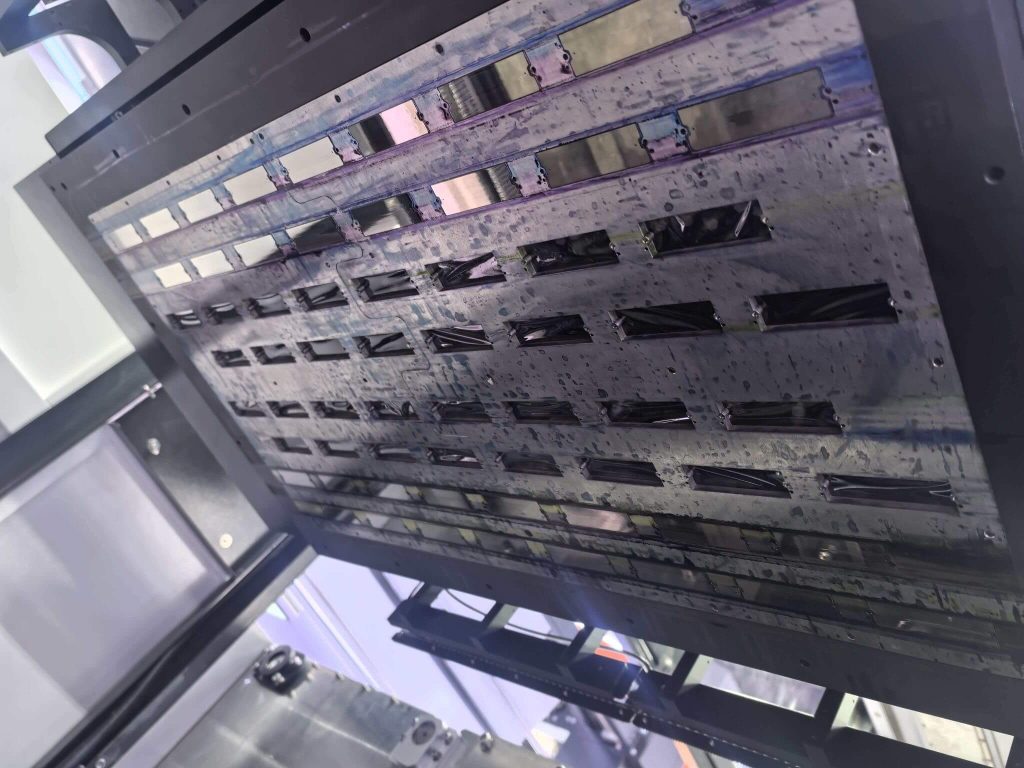
A typical flatbed printhead contains approximately 1,440 micro nozzles, operating through intelligent nozzle switching to achieve multi-color output. Due to this extremely fine structure, even small amounts of air, dried ink, or debris can cause printing defects.
This makes systematic maintenance especially critical in low-temperature environments.
5. Daily Printhead Maintenance Best Practices
5.1 Avoid Improper Removal and Storage
Do not remove printheads from the printer and store them separately, particularly in cold and dry environments. Prolonged exposure to air can cause ink dehydration inside the nozzles, leading to irreversible clogging. If removal is necessary, professional preservation procedures must be followed.
5.2 Never Touch the Nozzle Plate
Avoid touching the nozzle surface with fingers or tools. Oil, sweat, dust, or improper cleaning materials can damage the nozzle plate or alter ink properties. Do not blow air onto the nozzle surface, and do not use tissue paper, cloth, or lens wipes to clean it.
5.3 Proper Shutdown Procedure
Never power off the printer directly during printing. Always switch the printer to offline mode and ensure the printhead completes the capping process before shutting down. This prevents nozzle exposure to dry air and ink drying.
6. Professional Printhead Cleaning Methods
When nozzle blockage or unstable jetting occurs, appropriate cleaning methods should be selected based on severity:
- Software Cleaning: Automatic cleaning via the printer’s maintenance menu for light nozzle issues.
- Ink Extraction Cleaning: Drawing ink through the waste ink tube to stabilize ink flow.
- Push–Pull Cleaning: Using a cleaning solution to gently inject and extract fluid through the ink inlet to remove stubborn residue.
- Printing with Printhead Cleaning Solution: Replacing ink with cleaning fluid temporarily and printing color blocks to clear affected nozzles.
Excessive or improper cleaning should be avoided, as it may cause secondary damage to the printhead.
7. Long-Term Printhead Storage and Protection
If a printhead needs to be stored for an extended period, professional preservation steps are required:
(1) Remove the printhead following proper procedures and clean residual ink.
(2) Thoroughly flush with dedicated printhead cleaning solution.
(3) Inject specialized preservation fluid into each ink inlet.
(4) Seal with protective film and store in the original packaging.
Proper storage greatly reduces the risk of nozzle drying and internal damage.
8. Maintenance Solutions for Low-Temperature Environments
In real-world applications, correct operation alone is often not sufficient. Stable, well-matched maintenance consumables and part solutions play a key role in protecting printheads under challenging environmental conditions.
As a professional printer parts solution manufacturer and supplier, JOHOPE focuses on fluid control and maintenance systems for wide-format printers. Based on common printhead issues observed in low-temperature environments, JOHOPE provides systematic support, including:
- Printhead Cleaning and Maintenance Solutions: Compatible cleaning fluids and fluid-guiding systems for routine maintenance, false clog recovery, and long-term shutdown preparation.
- Scheduled Maintenance Kits: Pre-configured kits containing essential consumable printer parts related to printhead protection, enabling users to perform preventive maintenance on time and reduce failure risks.
- Ink Delivery System Components: Ink pumps, dampers, filters, solenoid valves, and related parts that help maintain stable ink pressure and flow in low-temperature conditions, reducing printhead stress at the system level.
By combining correct operating practices with reliable maintenance solutions, users can significantly lower printhead failure rates and extend the service life of high-value components.


