
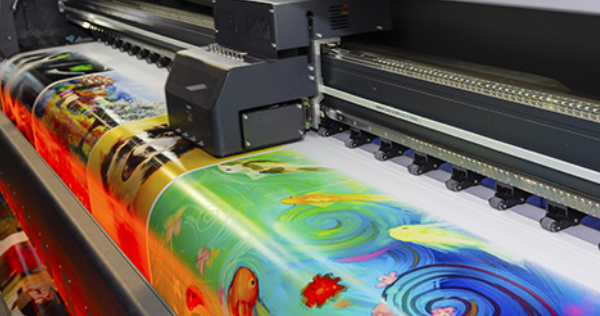
As summer temperatures rise and humidity levels increase, wide-format printers become more vulnerable to operational issues. High heat, moisture, static electricity, unstable voltage, and poor ventilation can directly affect printheads, ink delivery systems, electronic components, and media feeding accuracy.
As a result, many printing businesses experience a noticeable increase in printer failures during summer, including:
- Printhead clogging
- Ink starvation
- Banding and missing lines
- Media jams
- Color inconsistency
- Smudging and poor drying
- Mainboard or motor errors
Fortunately, most of these problems are preventable.
By understanding how environmental conditions affect printer performance and following proper maintenance practices, you can significantly reduce downtime, extend equipment lifespan, and maintain stable production throughout the summer season.
Why Do Printers Experience More Problems in Summer?
Wide-format printers are precision devices that rely heavily on stable environmental conditions. Summer heat and humidity can negatively impact both mechanical and electronic systems in several ways.
1. High Temperature Increases the Risk of Printhead Clogging and Ink Issues
Eco-solvent, water-based, UV, and sublimation inks all operate best within a recommended temperature range, typically between 20°C and 30°C (68°F–86°F).
However, during summer, indoor workshop temperatures can easily exceed this range, especially in poorly ventilated print rooms.
Under high temperatures:
- Ink solvents evaporate faster
- Ink viscosity changes
- Nozzles dry out more quickly
- Residual ink forms around nozzle surfaces
This can lead to:
- Nozzle clogging
- Ink starvation
- Missing lines
- Inconsistent ink output
- Reduced print quality
Long production hours further increase printhead surface temperature, making these issues even more severe.
It is important to note that ink misting and overspray are not caused solely by temperature. Static electricity, incorrect printhead height, improper media settings, and feed calibration also play major roles.
2. High Humidity Causes Media Feeding Problems
Summer humidity significantly affects print media stability.
Materials such as:
- Self-adhesive vinyl
- Photo paper
- Backlit film
- PP media
- Soft film materials
can absorb moisture from the air, leading to:
- Expansion
- Curling edges
- Wrinkles
- Softening
- Thickness variation
Wide-format printers rely on stable and accurate media transport. Once the media becomes deformed, feeding accuracy decreases dramatically.
Common problems include:
- Media skewing
- Feeding misalignment
- Ghosting
- Head strikes
- Paper jams
Paper-based materials are especially vulnerable because moisture changes their stiffness and flexibility.
In severe cases, damp media may jam inside the printer or damage feeding rollers.
3. Summer Is a High-Risk Season for Electrical and Mainboard Failures
Inside every printer are sensitive electronic components, including:
- Mainboards
- Servo motors
- Power modules
- Control systems
These components generate heat continuously during operation.
In summer, external heat combined with internal heat buildup creates significant thermal stress.
If ventilation is insufficient, printers may experience the following:
- Carriage movement errors
- Random shutdowns
- Motor instability
- Frozen control panels
- System alarms
- Overheating protection activation
Additionally, summer power consumption often causes unstable voltage in many regions.
Voltage fluctuations and sudden power drops can damage the following:
- Mainboards
- Printhead contacts
- Power supplies
Minor cases may cause interrupted printing or system restarts, while severe cases can permanently damage hardware components.
Moisture combined with airborne dust can also accumulate around electrical connectors, increasing the risk of:
- Poor contact
- Oxidation
- Short circuits
4. Color Inconsistency and Drying Problems Become More Common
Many operators notice that colors become less stable during summer.
This happens because temperature changes can affect the following:
- Ink viscosity
- Piezoelectric performance
- Ink droplet consistency
As a result, identical files may print with slightly different color density throughout long production runs.
Humidity also slows down ink evaporation.
For water-based and eco-solvent printers, high moisture in the air makes it harder for printed graphics to dry completely.
This may cause:
- Smudging
- Ink transfer
- Sticky surfaces
- Media sticking together during take-up
Ultimately, increasing material waste and production costs.
5 Essential Steps to Protect Your Printer During Summer
Step 1: Control Room Temperature and Humidity
A stable environment is the foundation of reliable printer performance.
Recommended conditions:
- Temperature: 20°C–30°C (68°F–86°F)
- Humidity: 45%–65%
Practical recommendations:
- Use air conditioning during hot periods
- Avoid direct sunlight on printers
- Use dehumidifiers during rainy weather
- Improve room ventilation
- Keep air circulating regularly
Never place printers near windows, metal walls, or areas exposed to direct sunlight.
Stable environmental conditions help maintain stable print quality.
Step 2: Strengthen Printhead and Ink System Maintenance
Printhead maintenance should be more frequent during the summer.
Recommended practices:
- Perform nozzle checks daily
- Clean capping stations and wipers regularly
- Protect printheads during idle periods
- Check ink lines for air bubbles
- Prevent prolonged exposure to high temperatures
For white ink systems, regular circulation and stirring are especially important to prevent sedimentation and clogging.
Ink delivery components such as:
- Dampers
- Ink tubes
- Filters
- Ink pumps
should also be inspected regularly to ensure a stable ink supply.
Step 3: Store and Handle Media Properly
Print media should never be stored in hot or humid environments.
Best practices include:
- Store rolls off the ground
- Avoid placing materials against damp walls
- Allow media to acclimate before printing
- Dry humid materials before use
- Check for curled edges before loading
For materials prone to static electricity, consider using anti-static devices or improving humidity control.
Also, avoid setting the printhead height too high, as this may increase overspray and reduce print accuracy.
Step 4: Ensure Stable Power Supply and Proper Heat Dissipation
During continuous production, regularly inspect:
- Cooling fans
- Ventilation openings
- Internal dust buildup
- Power module temperature
Blocked airflow can significantly increase internal heat accumulation.
It is also highly recommended to:
- Use voltage stabilizers
- Install dedicated power lines
- Avoid sharing power with high-consumption equipment
A stable electrical supply is critical for protecting printheads and electronic systems.
Unstable power conditions actually cause many unexpected printer errors.
Step 5: Avoid Continuous Overloading
During extreme summer temperatures, printers should not run under nonstop heavy workloads for extended periods.
Recommended strategies:
- Schedule short cooling breaks
- Avoid peak afternoon heat
- Run large production jobs at night when possible
- Allow the printer to cool periodically
Proper production scheduling helps reduce thermal stress and improve overall equipment stability.
Stable Summer Operation Starts with Proper Maintenance
For wide-format printers, summer is not just a test of equipment quality—it is a test of operational management.
Most summer-related printer failures are not caused by defective machines, but by poor environmental control and insufficient maintenance practices.
By properly managing:
- Temperature
- Humidity
- Printhead maintenance
- Media handling
- Electrical stability
You can significantly reduce equipment failures, protect consumables, and maintain stable production efficiency throughout the hottest months of the year.
Consistent printer performance ultimately means lower maintenance costs, less material waste, and higher production profitability.


