
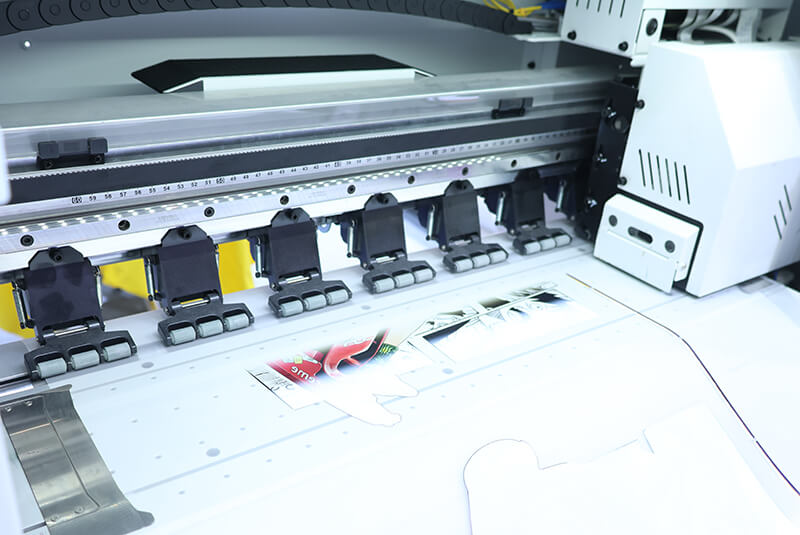
How to Properly Maintain Your DTF Printer: Essential Daily Maintenance Tips
Proper DTF printer maintenance is key to keeping your printer in excellent working condition, ensuring consistent print quality and prolonging the lifespan of critical components. Daily, weekly, and regular maintenance routines can prevent common issues like nozzle clogging, ink blockage, and color banding.
Below is a complete guide to maintaining your DTF printer effectively.
Ⅰ. Pre-Start Inspection (Before Powering On)
a. Check Ink Levels
White ink tends to settle easily, and when the ink level is too low, air can enter the ink system and cause interruptions or nozzle blockage.
Always ensure all ink bottles, especially the white ink bottle, are sufficiently filled.
Rule: Refill immediately if the ink level is below one-third of the bottle.
If air enters the ink lines, it can cause print interruptions and damage the printhead.
b. Perform a Nozzle Check
Run a nozzle test print every morning before production.
If you notice missing lines, blurry areas, or uneven output, perform a light cleaning first.
Only use deep cleaning if necessary, as excessive cleaning wastes ink and stresses the printhead.
A complete and even nozzle pattern indicates that your printhead is in good condition.
Ⅱ. Maintenance Before Shutdown
a. Keep the Printhead Moisturized
Before shutting down, always perform the printhead moisturizing or “capping” process to keep the nozzles wet.
Automatic models: The system will handle it automatically.
Manual models: Place a damp cleaning pad or moisturizing sponge on the printhead and ensure proper sealing.
b. Clean the Waste Ink Pad
Ink waste from cleaning or purging cycles accumulates on the waste pad. If not cleaned, it may overflow or corrode internal parts.
Use a dust-free cloth and cleaning solution to wipe the waste pad daily, and replace it regularly based on usage frequency.
Ⅲ. Regular Care for Core Components
a. Printhead and Ink Channels
White ink channels should be cleaned regularly to prevent sediment buildup.
Clean the white ink system every 1–2 weeks, depending on production volume.
Always use specialized cleaning fluid, not alcohol or harsh solvents, which can damage seals and ink tubes.
b. Wiper Blade and Purge System
The wiper blade plays an important role in cleaning the printhead surface.
Inspect weekly: if you find burrs, hardening, or deformation, replace the wiper immediately.
A dirty or damaged wiper can reapply ink residue onto the nozzles and cause clogging.
c. Encoder Strip and Capping Station
The encoder strip ensures accurate carriage positioning.
Keep it clean and free from ink splashes or dust.
For the capping station, clean the rubber seals regularly to maintain airtight suction and efficient ink flow.
d. Guide Rail and Carriage Slider
Every 7–10 days, clean the guide rail and carriage slider with a dust-free cloth and a small amount of alcohol. Then apply a thin layer of lubricant.
This reduces noise and friction, ensuring smooth movement and extending motor life.
Ⅳ. Maintenance of Accessories and Consumables
a. Ink Pumps and Filters
Replace color ink filters every 2 months.
Replace white ink filters every 2–4 weeks due to heavier sediment.
Check the ink pump regularly—weak suction can cause an unstable ink supply.
b. Waste Ink Bottle
Empty and clean the waste ink bottle frequently to avoid blockages in the drain tube caused by ink sediment.
c. Cables and Circuit Safety
Keep all cables and printhead ribbons clean, untangled, and dry.
Seal connector areas with insulating tape to prevent ink or moisture penetration.
d. Use Original Consumables
Always use genuine inks, powders, and films tested for compatibility.
Low-quality materials can cause nozzle clogging, poor transfer, and ink system damage.
Conclusion
DTF printer maintenance is a continuous process, not a one-time task.
By following these routines, you can ensure stable printing performance and extend the lifespan of your printer:
Before printing: Check ink levels, nozzle condition, and environment.
Before shutdown: Perform capping and clean waste areas.
Weekly: Inspect wipers, rails, and encoder strip.
Regularly: Replace filters and use genuine consumables.
Consistent maintenance minimizes breakdowns, prevents costly repairs, and ensures every print stays sharp, vibrant, and precise.


