
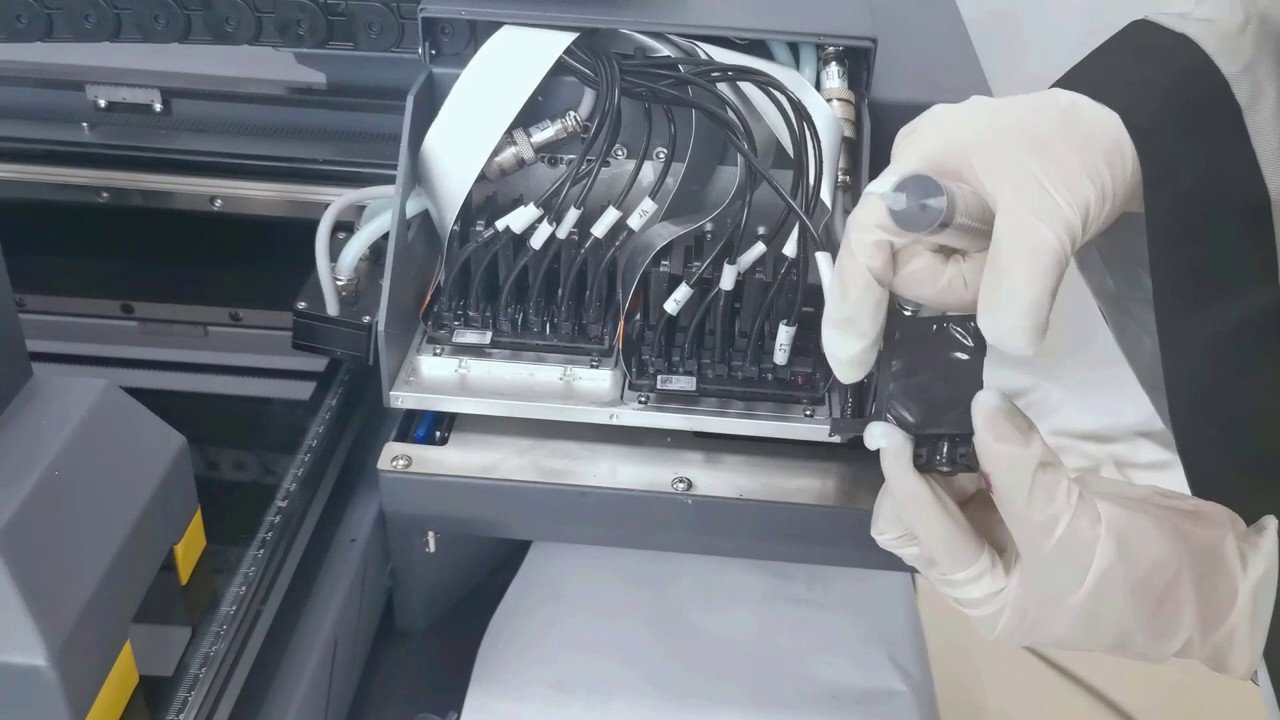
In digital inkjet printers such as wide-format printers, UV printers, photo printers, and DTF/DTG printers, the stability of the ink supply system directly affects print quality and printhead lifespan. One often overlooked yet highly destructive phenomenon is ink backflow.
When users encounter ink shortages, incomplete printing, color mixing, or printhead errors, they usually first suspect ink cartridge, ink tube, or printhead blockage. However, the real root cause is very likely "backflow" in the ink supply system.
This article will provide a comprehensive analysis of what ink backflow is, why it occurs, how to quickly identify it, and how to effectively prevent it.
I. What is Ink Backflow?
Ink backflow refers to the phenomenon where ink flows backward from the printhead, back into the ink cartridge, ink distributor, ink supply tube, or negative pressure system, causing a disruption in the ink's direction.
Under normal circumstances, a micro-pressure ink supply system relies on a sealed environment and slight negative pressure to maintain the ink's "unidirectional" flow, from the ink bottle → ink tube → ink damper → printhead.
However, if the negative pressure becomes unstable or a leak occurs, ink will flow back from the printhead, causing:
- Ink interruption or weak ink flow
- Sudden ink failure during printing
- Color mixing within the printhead
- Reverse color appearing in the ink tube
- Printhead errors or abnormal temperature
- In severe cases, direct printhead damage
The hazards of ink backflow are comparable to air entering the printhead, making it one of the core faults that digital printing factories must pay close attention to.
II. Why Does Ink Backflow Occur? (Common Causes Explained)
Ink backflow is essentially caused by negative pressure imbalance or seal failure. The following are the most common causes:
1. Ink Damper Aging/Membrane Damage
A failure of the vacuum membrane inside the ink damper leads to unstable pressure, causing ink to be "sucked back" from the printhead.
2. Ink Tube Leaks or Loose Connections
Even a tiny leak can disrupt the negative pressure balance, causing ink flow to become disordered.
3. Improper Ink Supply Height
Ink cartridge height too high → Excessive positive pressure, ink is forced back into the system. Ink cartridge height too low → Insufficient negative pressure, causing backflow and ink interruption.
4. Filter Clogging/Excessive Resistance
Ink cannot flow normally to the printhead, and the system pressure automatically seeks a "pressure relief direction," resulting in reverse backflow.
5. Printhead Channel Clogging
Once the nozzle is clogged, the pressure outlet of the ink is blocked, making it easy for it to flow back into the ink cartridge.
6. The ink itself is too thick or has sediment.
This is especially true for white ink and UV ink. Sedimentation can cause flow obstruction and make it easier to trigger backflow.
Ⅲ. How to Determine if Ink Backflow Occurs? (5 Most Accurate Identification Methods)
Identifying ink backflow is not difficult. Simply observe the following dimensions: "Ink Tube → Ink Cartridge → Printing Performance → Error Messages." Below are the most commonly used and reliable methods in the industry.
1. Reverse Flow or Color Backflow in the Ink Tube
The most typical characteristic is the presence of ink of a different color in the ink tube, or ink clearly flowing back towards the ink cartridge.
For example, blue or yellow ink appearing in a black ink tube is a strong signal of ink backflow.
2. Air Bubbles or Intermittent "Air Segments" in the Ink Tube
During normal ink supply, the ink tube should remain continuously full of ink. If the following occurs, it indicates that the ink supply pressure has been disrupted, and backflow is highly likely:
Air bubbles do not move towards the printhead but instead move backward.
Ink is divided into segments within the tube.
An empty segment appears in the upper half of the ink tube, while the lower half remains full.
These phenomena all indicate that air has entered the ink path, and the negative pressure balance has been broken.
3. Unstable Ink Capsule Level or Internal Structural Abnormalities
The ink capsule is a crucial component for maintaining a slight negative pressure. If it malfunctions, the ink supply will become unbalanced. Common indicators include:
- Fluctuating ink capsule level
- Incompletely filled or collapsed ink capsule
- Obvious air bubbles inside
- Loose ink capsule cap or gaps at the seal
These signs indicate that air is entering the system, causing ink to flow back.
4. Ink Interruptions, Missing Lines, or Inconsistent Color Intensity During Printing
If the nozzle test strip shows the following, it also indicates "unstable ink supply" caused by backflow:
- A certain color appears intermittently
- Slight missing lines, but temporarily recover after cleaning
- Inconsistent color intensity during continuous printing
- Intermittent ink interruptions in the printed pattern
This "discontinuous abnormality" is the most typical symptom of ink backflow.
5. Equipment Errors: Ink Volume Abnormality / Negative Pressure Abnormality / Ink Path Abnormality
Many models will automatically display the following warnings when they detect negative pressure imbalance or abnormal ink supply:
- Negative Pressure Error
- Ink Supply Error
- Ink Volume Abnormal
- Cartridge/Damper Error
These errors often indicate abnormal ink path pressure, backflow, or air intake.
Ⅳ. How to Prevent Ink Backflow? (The Most Complete Practical Guide)
To eliminate ink backflow, remember one principle:
Good sealing + stable negative pressure = no backflow.
As long as these two conditions are maintained, ink will always flow toward the printhead and not reverse.
Below are the most effective preventive measures you can apply in daily operation.
1. Replace Dampers Regularly and Maintain Proper Sealing
The damper (sub tank) is a key component responsible for maintaining micro-negative pressure.
Once it ages, hardens, or loses airtightness, the pressure balance becomes unstable and backflow is almost inevitable.
Recommendations:
- Replace dampers every 3–6 months (even more frequently for white ink systems).
- Ensure the damper cover is fully tightened and sealing surfaces are intact.
- Check the O-rings at the printhead ink inlet and replace if worn.
2. Inspect Ink Tubes, Clamps, and Connectors for Air Leakage
Persistent micro-bubbles are the clearest sign of air entering the system.
Even a tiny gap is enough to break the pressure balance and induce reverse flow.
Check the following:
- Old or hardened ink tubes
- O-rings on T-connectors and quick connectors
- Loose metal clamps or plastic clips
Solutions:
- Replace aging ink tubes as a complete section
- Ensure all clamps are tightened properly
- Make sure O-rings are elastic and sealed well
3. Use High-Quality Filters with Proper Flow Resistance
Printer ink filters with excessive resistance can create backward pressure and trigger backflow—especially with white or UV inks.
Recommended replacement cycle:
- Regular inks: every 1–2 months
- White / UV inks: replace even more frequently
4. Keep Ink Supply Height and Pressure Within Standard Range
Ink supply height directly affects the micro-negative pressure.
Incorrect height—too high or too low—will disrupt pressure equilibrium.
Reference values:
| System Type | Recommended Height/Pressure |
|---|---|
| Negative-pressure system | -2 ~ -10 kPa |
| Gravity/Direct-feed system | Ink bottle 10–15 cm below the printhead |
Calibrating the system according to these ranges significantly reduces pressure fluctuations.
5. Ensure the Printhead Remains Unclogged
When nozzles are blocked, ink cannot move forward and will naturally flow backward instead.
Tips:
- Run periodic light cleaning
- Keep nozzle checks complete and stable
- Avoid long idle periods that cause drying and blockage
6. Maintain White Ink/UV Ink Circulation
These inks contain pigments that settle easily. Sedimentation disrupts flow stability and causes pressure imbalance.
Best practices:
- Keep the circulation pump running normally
- Gently shake ink before long-term use
- Avoid low temperatures that increase viscosity
7. Perform Capping and Moisturizing Before Shutdown
A dry printhead can cause internal pressure fluctuation and trigger backward suction.
Before turning off the printer:
- Run the nozzle moisturizing procedure
- Ensure the printhead is properly capped
- Avoid letting the ink tubes stay half-empty for long periods
8. Control Ink Quality and Environmental Stability
Ink properties and environmental conditions also influence pressure consistency.
Recommendations:
- Use inks with stable viscosity and good compatibility
- Avoid strong temperature differences and extreme cold
- Pay extra attention in high-altitude environments where air pressure changes faster
9. After Maintenance, Always Perform Ink Charging and Air Purging
Servicing the printhead, replacing components, or changing ink often introduces air into the ink path.
If not purged completely, this trapped air may later cause backflow.
Do this after every maintenance:
- Charge ink until all tubes are fully filled
- Verify that the damper pressure has stabilized
- Ensure there are no air bubbles or broken ink segments in the lines


