Epson T3200-U3 Printhead
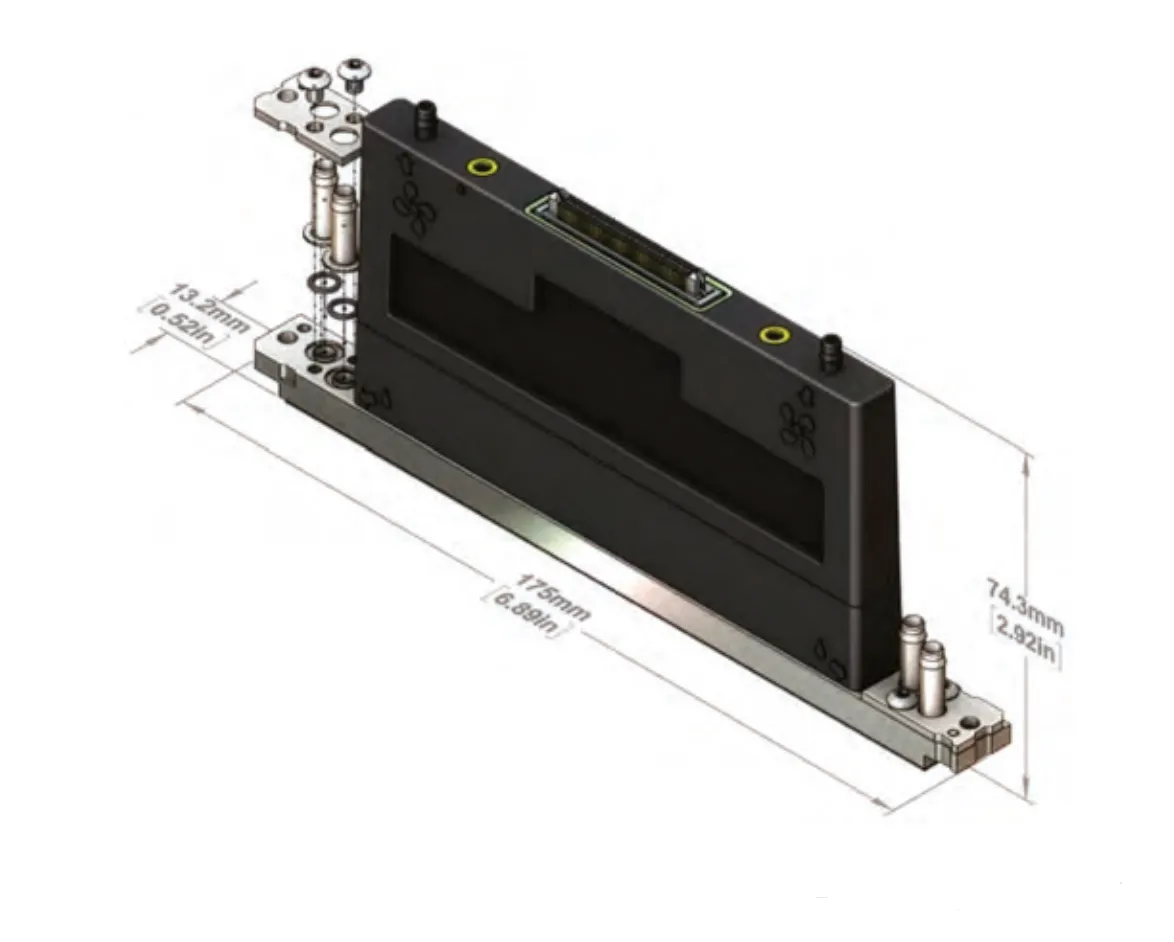
Epson has launched a new product Epson T3200 U3 print head, with a minimum ink drop of 3.5PL and multi-level grayscale variable ink drop printing, which can achieve high-precision image quality, more vivid and layered. At the same time, the T3200-U3 print head has an internal heating function, which can achieve the printing of high-viscosity ink and higher durability. Epson has optimized and upgraded the print head ink path component materials and adhesive design, and the ink compatibility is wider. Various functional indicators such as accuracy and speed have been taken to a higher level.
Ricoh G6 Printhead
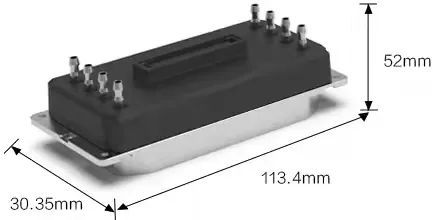
Ricoh G6 printheads have two models, one is MH5320 (two colors per head) and the other is MH5340 (four colors per head), both use fine ink droplets of 5pl. It can be used for a variety of water-based inks, eco-solvent inks, UV inks, textile inks, and other inks. Customers can also freely choose two colors or four colors per head according to their needs. The more colors you choose, the lower the corresponding speed and accuracy will be, and the longer and shorter the connecting wires will be.
Product Composition
MH5320 (1 head, two colors), MH5340 (1 head, four colors), MH532020C (length: 195mm) MH5320 45C (length: 453mm)
When using 1 color: 150dpi×4 columns/color→600dpi
When using 2 colors: 150dpi×2 columns/color→300dpi
When using 4 colors: 150dpi×1 column/color→150dpi
Gen6-MH5320/5340 printheads are mainly aimed at the field of industrial high-speed UV printing.
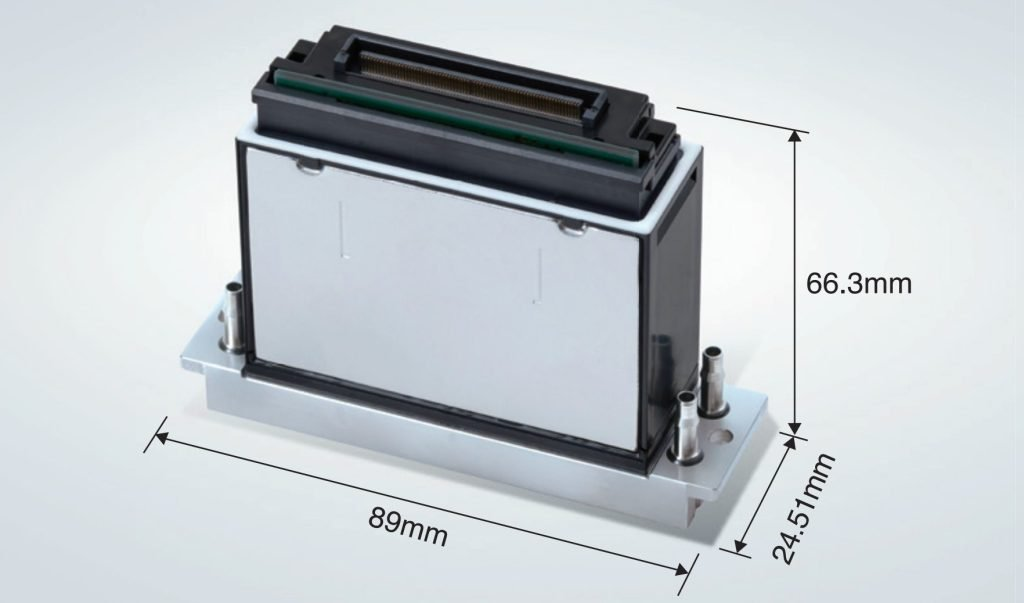
Features of Ricoh MH5320 and Ricoh 5340 printheads
(1)High productivity
Increased firing frequency → increased ink output per unit time
MH5420 Single-level grayscale printing mode: 30Khz, Multi-level grayscale printing mode: 20Khz MH5320 Multi-level grayscale printing mode: 50Khz, Save half the time in the same resolution mode
(2)Support multi-level grayscale printing
They provide an optimized visual experience for different application scenarios. For close-up, choose small drop printing; for long-range, choose large drop printing; for daily use, use a mixture of large, medium, and small drops.
(3) High ink compatibility
Comparison Between Epson T3200 and Ricoh G6
Epson T3200 and Ricoh G6 have started a fierce market competition, but how can we objectively look at the advantages and disadvantages?
| Product Name | T3200-U3 | Ricoh MH5320 (G6) |
| Compatible ink | UV | Aqueous, solvent ink, UV |
| Dimension (height*depth*width) | 113.4*52*30.35mm | 89*66.3*24.51mm |
| Total nozzles | 3,200 | 1,280 |
| Head resolution & number of Inks that can be used | 300 dpi/4 colors600 dpi/2 colors | 300 dpi/row600 dpi/row |
| Effective printing width | 67.2mm (2.65 inches) | 54.1mm |
| Built-in heater | Yes | Yes |
- Epson T3200 supports 4 colors, 2 colors, splicing, 4.8-5PL. Compared with the Rioch G6, fewer printheads can be configured in the case of high-speed printing in color and white.
- Epson T3200 has a good price, priced at around 13,000 yuan (1,890 US dollars). Currently, there are only about 7-10 printer manufacturers authorized for Epson T3200 (Flora, Docan, GZ, JHF, Liyu, Kingt, etc.).
- The jet force of the Epson T3200 is not as strong as Ricoh G5/6, so the printing accuracy is relatively low.
- Compared with Ricoh G6, the pictures printed by Epson T3200 are lighter in color and require more passes.
- 1 4-color head requires 6 passes, and 1 2-color head requires 8 passes.
- One head with 4 colors (1 nozzle), a 6-pass printing speed is about 16 square meters/hour, and one head with 2 colors (2 nozzles) has a printing speed of about 24 square meters/hour.
- Epson T3200 has defects in printing pure colors and 100% C, M, Y, and K, which is different from the current G6.
- Epson T3200 motherboard currently has some bugs, but I think as T3200 becomes more and more popular, there will be better matching motherboards.
- Epson T3200 has high requirements for UV ink and is not easy to match ink.