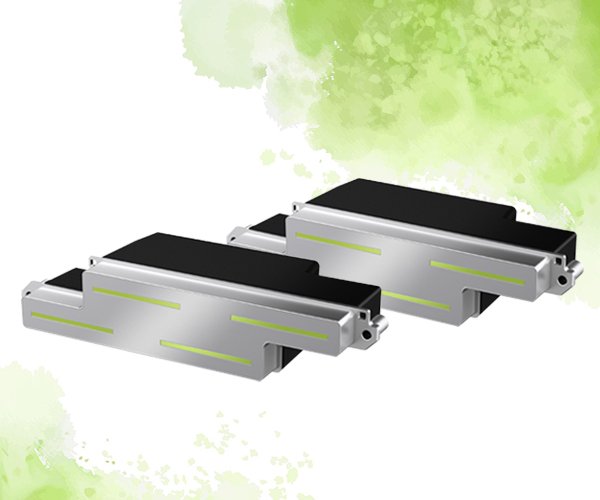
Introduction to Epson S3200 A1 Printhead
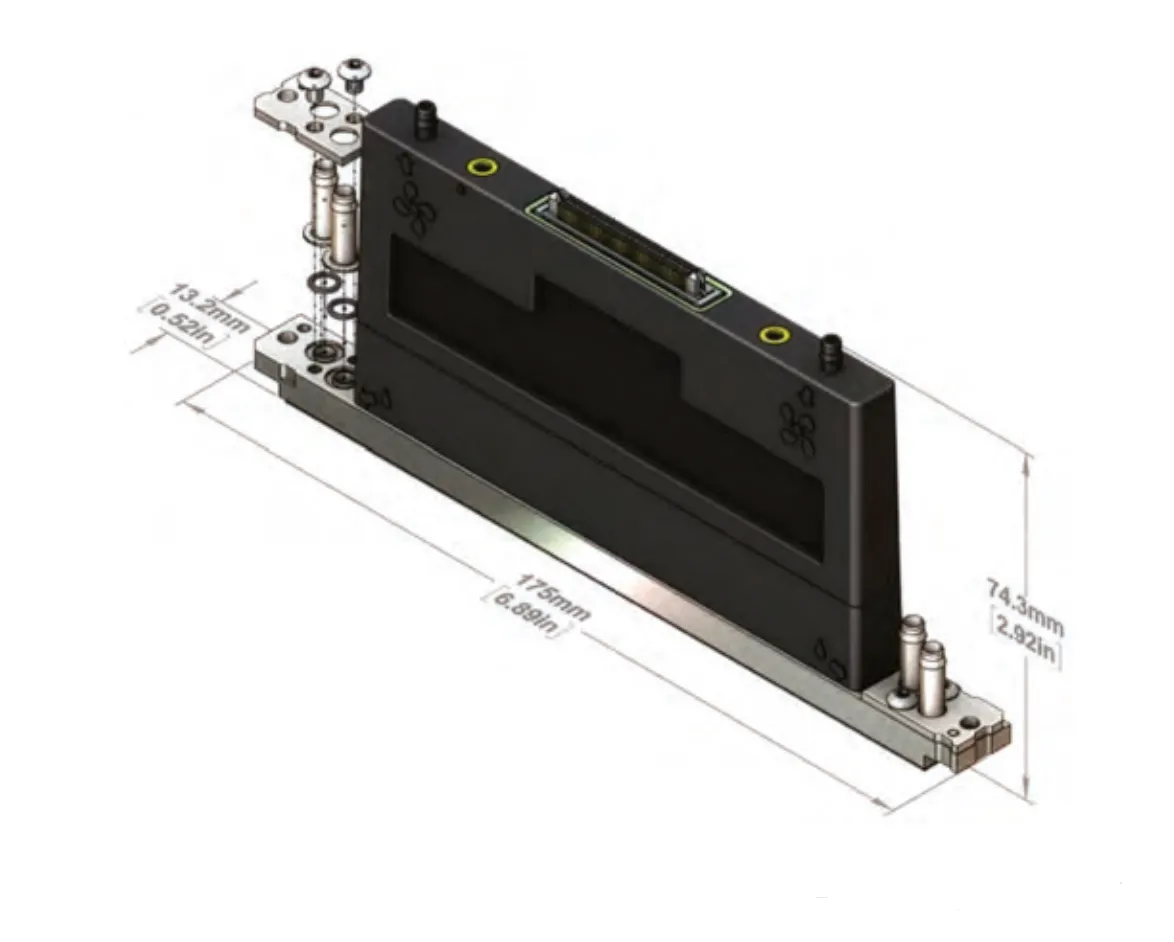
The Epson S3200-A1 printhead has a total of 3200 effective nozzles. Since each group of nozzles has some overlap when the printhead is designed, the actual number of single-color nozzles in 120.2mm (4.73 inches) is 2840. If it is done in single color, it is exactly 600dpi, and if it is done in two colors, it is 300dpi.
The PrecisionCore print chip equipped in this printhead has greatly improved its basic performance compared with the previous thin film piezoelectric (TFP) technology, mainly manifested in faster speed and more precise ink drop control and compensation between nozzles.
Epson S3200-A1 print head is equipped with Epson's independently developed PrecisionCore print chip, with 4 pairs of 8 columns and a total of 3200 nozzles. The nozzle coverage length of a single print head is 4.7 inches, and the nozzle resolution is 600dpi (2 columns). It has variable ink drop technology to achieve multi-grayscale printing and supports high-saturation bright color output. It is a high-durability print head product with S-shaped arrangement, easy splicing, high production efficiency, long service life, and can better cope with Single-Pass printing.
"The careful design and processing of the nozzle shape maximizes the roundness of the ink droplets to form high-definition image quality, while ensuring the good durability of the nozzle." This nozzle design can not only ensure the roundness of the ink droplets, but also solve the problems of easy gaps and burrs at the ink outlet of the tapered hole, which in turn causes oblique spraying, an increase in satellite points, oblique spraying and scattered spraying.
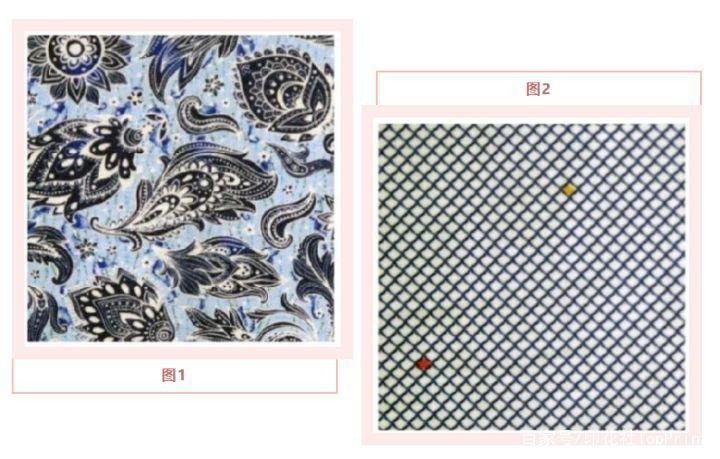
As shown in Figure 1 above, other high-precision printheads print thin stem patterns. The Epson S3200-A1 printhead has no problem with this type of pattern. For the thin stem pattern shown in Figure 2 above, the Epson S3200-A1 printhead also has a clear advantage.
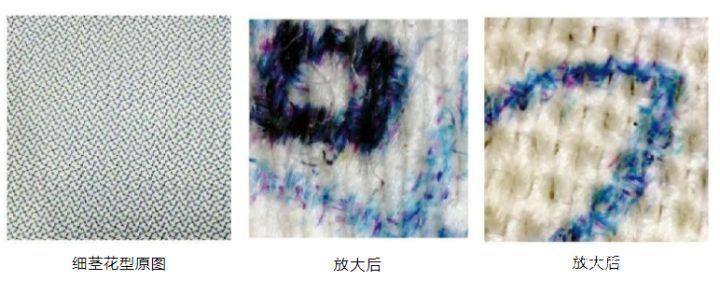
From the enlarged partial image, we can see that the distance between the printhead and the medium is about 3 mm, and there are not many scattered dots. The alignment of each color is still very accurate, which ensures the accurate expression of the thin stems. Usually, four-level grayscale printing is enabled at this time, and the positioning of small dots and thin stems and large dots and color blocks is also very accurate, which means that the print head, ink, and waveform match perfectly. This is also critical for the physical adjustment and software adjustment of multiple S3200-A1 print heads, otherwise there is no strength to accept orders for thin stems.
Features of Epson S3200 Printhead
1. The hole spacing is 600dpi
Its effective printing length is about 4.7 inches (the actual printing nozzles do not reach 3200. There will be some overlapping holes when the 800 holes of each small head are spliced. These holes are mainly eliminated to solve the problem that the edge holes of each small head have poor printing quality. The actual number of holes is about 2850 holes. The specific number should be based on the information released by the printhead manufacturer.
2. Ignition frequency
Without circulation, the highest performance can reach grayscale 20pl/16k and single dot 40K. However, there are many opinions on how big the ink droplet of a single dot is at this time. According to experience, it is more reasonable to estimate that it should be 3~5pl. The grayscale and ignition frequency of the printhead with circulation are 3.5/7.5/14pl/24k. But I think the performance shown by the current prototypes on the market still does not reach the printing level of 20pl/16k. It is usually good to reach the level of 13pl/15k. As for whether the printhead with circulation circulates the edge of the nozzle or the ink in the ink storage tank, there are different opinions at present, which need to be verified. If Epson makes this printhead to circulate on the edge of the nozzle, the process of this nozzle will have to be greatly changed. This improvement is still very difficult and takes a long time to develop. So everyone will have this question, but this problem will soon be known by the end of the year.
3. The circulation volume is about 80ml/min
For the printhead with circulation, the ratio of the circulation volume to the inkjet volume is about 2:1, which is similar to the current Fuji Samba printhead ratio, but smaller than Seiko 1536 and Xaar 2001. This printhead does not have an ink damper inside, if it does, it will not meet the circulation requirements.
4. Ink viscosity: about: 3-4cp
From the actual application situation, this nozzle is more suitable for using ink with a viscosity of 3.5-4.5cp. Of course, actual testing is still needed to verify and confirm.
5. Price
Everyone thinks that it will cost more than 20,000 yuan per nozzle, and this printhead has little advantage. Because compared with Kyocera printhead, if this head is fully utilized, it can basically achieve a one-to-one output with Kyocera printheads, and Kyocera types are widely used. If you want to replace Kyocera printheads, this Epson S3200 must have a greater advantage.
6. Printhead heating
This printhead does not have a heating function. If you want to use it on UV ink, you must install a heating device. What kind of structure is used for heating, how to install, and other issues related to nozzle heating will be updated later.
7. Cleaning pressure
Experienced users tell us that 20Pa has a better cleaning effect, but no test has been done on negative pressure.
8. Pre-filter accuracy selection
It is recommended to use 15 microns.
9. Waveform control
The control of ink droplets of different sizes is different from the waveform control method of other nozzle manufacturers. It is a two-way setting, which can control the large and small ink droplets separately, and can be controlled more accurately.