The printhead is a core component of an inkjet printer, responsible for precisely controlling the ejection of ink droplets. Its working condition directly determines print quality and device lifespan. However, during daily use, printheads inevitably become clogged due to ink drying, impurity deposits, or environmental influences. Failure to promptly clean and maintain the printhead can not only reduce print quality but also damage the printhead itself. So, how do you determine if the printhead needs cleaning? The following points provide some guidance.
Print Quality
The health of the printhead is most directly reflected in the print quality:
Color deviation or missing: Uneven color, missing color blocks, or incomplete band breaks in the printed image typically indicate a clogged nozzle and abnormal ink output.
Rough edges or smearing: When ink appears to fly, smear, or string along the edges of a print, this indicates dried ink or impurities inside the nozzle and requires cleaning.
Printhead Test
Most printers have a built-in printhead test function. By printing a test strip, you can quickly determine whether the nozzles are jetting properly:
If the test strip prints clearly and completely, the printhead is in good condition and does not require cleaning.
If there are broken lines, blank spaces, or missing colors, the printhead is clogged and requires immediate cleaning.
If there is a misty or diffused spray, the spray direction is unstable, indicating impurities or residual ink accumulation at the nozzle outlet.
Many users perform test prints as part of their daily routine, printing them every few days to monitor the printhead's condition and ensure early detection and maintenance.
Printhead Appearance
In addition to print quality, the appearance of the printhead can also provide clues for judgment:
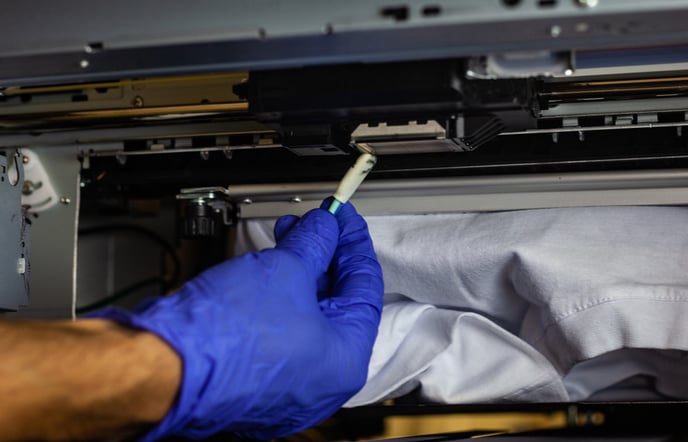
Ink residue on the printhead surface: If you can see dried ink or accumulation around the edge of the printhead, it indicates that there have been residual deposits during use.
Debris around the nozzle: Foreign matter, such as dust and paper scraps, can easily affect ink droplet ejection accuracy and requires prompt cleaning.
Dirty nozzle contacts: Ink leakage or contamination at the interface can cause poor electrical contact and affect jetting stability.
Device Prompts and Usage Practices
Modern UV and eco-solvent printers typically feature printhead status monitoring and alarms:
Device Alarms: When a nozzle abnormality or blockage is detected, the system will sound an alarm, prompting the user to perform a printhead cleaning.
Extended Downtime: When a device is left unused for several days, the ink may dry out in the printheads, requiring cleaning before restarting.
High-Frequency Printing: After continuous, high-intensity production, trace amounts of residual ink or sediment can easily accumulate in the printhead nozzles, requiring regular cleaning.
Summary
To determine whether the printhead needs cleaning, you can comprehensively assess print quality, test strip results, printhead appearance, and device prompts. If you notice any printhead anomalies, clean them promptly to prevent further problems. Furthermore, cleaning the printhead requires specialized cleaning fluid and appropriate tools. If the printhead is severely damaged, select a genuine printhead to ensure stable printing results.