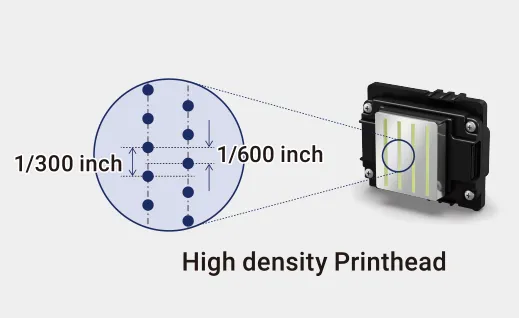
Inkjet print heads often become clogged, which makes printer users miserable. If the clogged printhead is not repaired in time, it will not only affect the production progress but may also cause permanent blockage, causing the inkjet printer to be damaged or even scrapped, greatly increasing the cost of use. Therefore, it is particularly important to perform daily maintenance to reduce printhead clogging. This article will share 6 situations where printheads are prone to failure and 4 major maintenance methods for printhead clogging.
6 Types of Printhead Clogging
01 Lack of Ink
When there is a lack of ink inside the printhead, although the piezoelectric ceramic in the printhead works, it cannot effectively produce ink because there is no ink. In this case, you can generally clean the printhead by pressing ink.
02 Air Blockage
Air blockage occurs when air accumulates inside the printhead, preventing ink from ejecting normally. In this case, you can first try to press the ink for cleaning. In most cases, the air can be eliminated by squeezing the ink; there is also a situation where the air cannot be eliminated inside the printhead. This situation can only be eliminated automatically by waiting for the bubbles and ink to merge. We call it defoaming.
03 Dryness or Impurities Causing Printhead Clogging
If the printhead is not used for a long time and is not effectively moisturized, the ink inside the printhead will easily dry out. The impurities entering the printhead and clogging it are similar to the ink drying and the printhead clogging. Both solid substances remain inside the print head, causing the ink to not pass through it normally.
In mild cases, you can press the ink and use the momentum of the ink to flush the dry ink or impurities out of the nozzles; in severe cases, you can use a syringe to absorb cleaning fluid to flush the printhead. Pay attention to controlling the force during flushing. Excessive force will expand the adhesive in the nozzle, causing ink leakage from the nozzle. If the cleaning fluid cannot clean the printhead, an ultrasonic oscillator can only be used to vibrate it to achieve cleaning purposes. It is important to note that using ultrasonic waves is risky and may damage the printhead.
04 Physical Damage
During inkjet printing, if the nozzle scrapes material or encounters foreign objects, and uses an inferior scraper blade or inferior ink capping or moisturizing pad, it may damage the surface of the nozzle and cause physical damage to the printhead. This damage is irreversible, and there is basically no possibility of repair.
05 Circuit Damage
Inserting the wrong flat data cable, abnormal power supply, or ink leaking onto the circuit board connected to the printhead will cause damage to it. Generally, circuit damage will cause large areas of nozzles to fail. Due to the high degree of integration of the printhead, usually in this case, it is directly scrapped and cannot be used.
06 Piezoelectric Ceramic Aging
After the printhead reaches a certain number of operations, the piezoelectric ceramic chip that controls ink output may age, resulting in ink droplets being unable to eject normally and affecting the quality of inkjet printing. This situation is very rare. Generally, the piezoelectric ceramic nozzles designed by manufacturers have a spray life of more than hundreds of millions of times. However, in actual use, few printheads can be used hundreds of millions of times. Therefore, in general, the printhead is blocked or damaged due to the five conditions mentioned above.
4 Major Maintenance Methods for Printhead Clogging
01 Ink Supply Path Maintenance
When using inkjet printers, people tend to ignore the importance of the ink supply path and do not think of replacing the ink tubes and ink dampers until ink leakage occurs.
In fact, after long-term use of ink tubes and ink dampers, a large amount of impurities in the ink will accumulate. Some inferior ink tubes will also react with the ink, causing the components in the ink tube to dissolve into the ink and be transported to the interior of the printhead. To avoid printhead clogging, you should be careful not to buy low-quality ink tubes or ink dampers for use on the machine. You need to replace ink filters and ink dampers frequently and replace aging ink tubes within a certain period.
02 Do a Good Job of Moisturizing
Moisturizing is one of the most important tasks when using an inkjet printer. As long as the printhead is not used for a certain period, it must be moisturized in time.
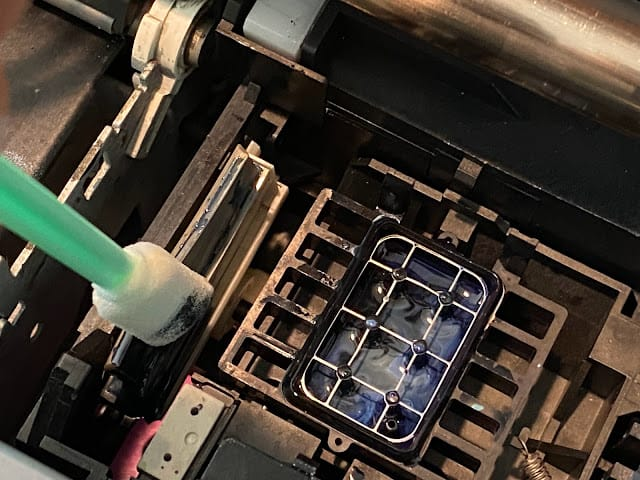
Before moisturizing, clean the ink capping and moisturizing pad, but be careful not to reuse a moisturizing pad to prevent dirt on the moisturizing pad from contaminating the printhead surface and causing impurities to be sucked back into the printhead under the influence of atmospheric pressure, which also leads to printhead clogging. At the same time, after moisturizing, you should also carefully check whether the nozzle and moisturizing pad fit together to prevent the nozzle and moisturizing pad from separating and exposing the nozzle to the air.
03 Clean the Nozzles in Time
When some operators find that ink breaks occur, because there are not many broken nozzles and the effect on the picture is not great, they do not clean the blocked nozzles in time. As a result, when the nozzles do not discharge ink for a long time, printhead clogging happens. Eventually, it becomes a real blockage, which requires great efforts to clean in the later stage, and sometimes it even cannot be cleaned.
The most taboo thing is to keep moisturizer overnight when the nozzles cannot discharge ink normally, because the nozzles that cannot discharge ink normally may be missing or clogged. If you moisturize overnight, the nozzles are not flushed with ink, and impurities or dry ink cannot be discharged. After being left overnight, the moisturizing liquid cannot enter the nozzles, causing the blockage to become more serious. Therefore, a complete nozzle status diagram must be printed before shutting down, and the diagram must be kept on file with the date written on it. It can be compared when new nozzles are blocked.
04 Avoid Injury
Choose materials with good flatness to avoid contact between the nozzle and the material during printing. Make sure there are no other foreign objects on the inkjet printer when printing.
The surface of the nozzle of some printheads is protected by stainless steel to effectively prevent physical damage. For inkjet printers with automatic cleaning devices, the wipers must be cleaned frequently. If there are impurities like gravel on the wipers, it is very easy to damage the printhead. When replacing, you must also choose a high-quality wiper. Be sure to protect the nozzle surface when disassembling and storing it. The printhead is shipped with a protective cover from the factory.