In digital printing equipment, the printhead is the most critical output component, directly affecting print quality, resolution, and color accuracy. However, one small but essential part is often overlooked—the printer wiper blade (also called wiper, cleaning blade, or printhead wiper).
Many common printing issues—such as banding, ink misting, or inconsistent colors—are not always caused by a faulty printhead. In many cases, they result from insufficient maintenance and poor cleaning performance. This is where the wiper blade plays a crucial role. Despite its low cost and simple structure, it is a key component in maintaining printhead health and ensuring stable operation.
What Is a Printer Wiper Blade?
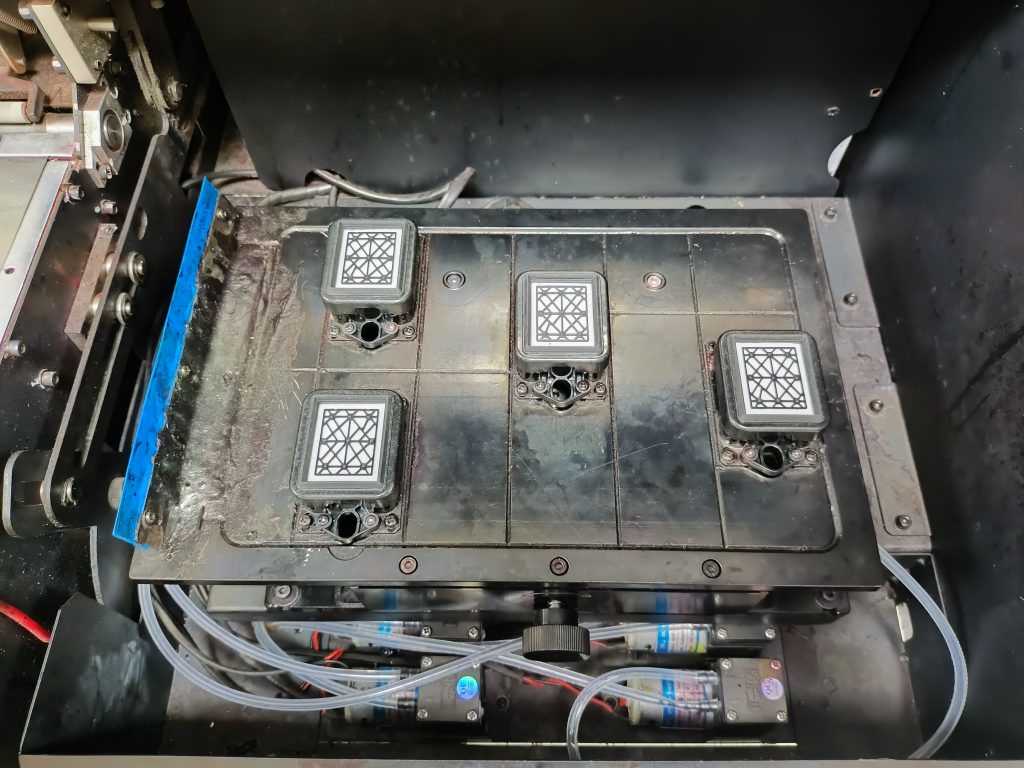
A printer wiper blade is installed in the maintenance station of an inkjet printer. During cleaning cycles, it physically wipes the surface of the printhead to remove residual ink, dust, and debris.
The wiper does not work alone. It operates together with:
- Ink pump
- Capping station
- Cleaning system
These components form a complete printhead maintenance system. The efficiency of this system directly determines how well the printhead performs over time.
Key Functions of a Wiper Blade
1. Cleaning Printhead Nozzles
The primary function of a wiper blade is to remove excess ink and contaminants from the printhead surface. This prevents ink from drying at the nozzle openings, reducing the risk of clogging and ensuring smooth ink flow.
This is especially important for printers that run continuously or remain idle for long periods.
2. Preventing Ink Misting and Deflection
When ink residue builds up on the printhead, it can interfere with droplet formation, leading to:
- Ink misting
- Overspray
- Misfiring nozzles
A clean printhead surface ensures that ink droplets are ejected accurately, improving print consistency and reducing defects.
3. Improving Print Quality and Color Consistency
A properly maintained printhead produces:
- Sharper images
- Smoother gradients
- More accurate colors
By keeping the nozzle plate clean, the wiper blade helps maintain high-resolution output and consistent color performance, which is critical in applications like signage, textile printing, and photo printing.
4. Extending Printhead Lifespan
Industrial printheads (such as Epson DX5, DX7, or I3200) are expensive components. Regular and effective cleaning with a wiper blade can:
- Reduce clogging
- Minimize wear
- Lower replacement frequency
This translates into lower maintenance costs and less downtime.
5. Supporting the Cleaning System
During automatic cleaning cycles, cleaning fluid dissolves ink residues while the wiper blade removes them physically. This combination of chemical and mechanical cleaning ensures a more thorough maintenance process.
Structure and Material Features
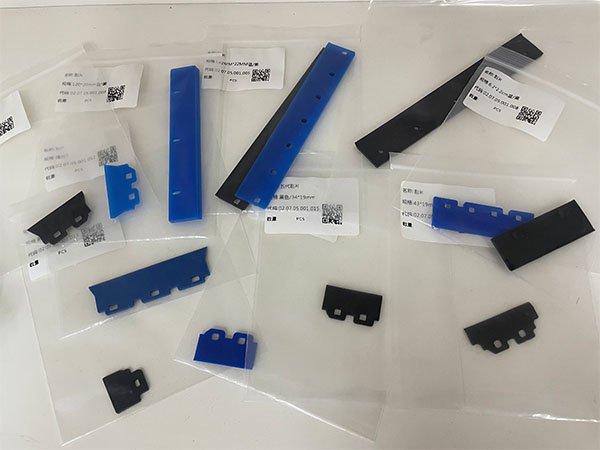
To achieve effective cleaning without damaging the printhead, wiper blades are carefully engineered.
1. High-Quality Materials
Wipers are typically made from:
Solvent-resistant rubber
High-performance elastomers
These materials offer excellent resistance to UV ink, solvent ink, and cleaning chemicals, ensuring durability and long service life.
2. Optimized Flexibility
The edge of the wiper must be soft and flexible enough to conform to the printhead surface, yet firm enough to remove ink residues effectively. Proper elasticity ensures:
- Close contact with the nozzle plate
- No scratching or damage
3. Precision Dimensions
Each wiper is designed to match specific printhead sizes and printer models. Accurate dimensions ensure:
- Even wiping pressure
- No missed areas
- Consistent cleaning performance
Applications
Wiper blades are widely used across various digital printing systems:
- UV flatbed and roll-to-roll printers
- Eco-solvent and solvent wide-format printers
- Dye-sublimation printers
- Textile printing (DTF and DTG)
In all these applications, the wiper blade plays a vital role in maintaining print stability and production efficiency.
Maintenance and Replacement Tips
Recommended Replacement Cycle
Wiper blades are consumable parts and should be replaced regularly:
- Light use: every 1–3 months
- Medium use: every 2–4 weeks
- Heavy production: every 1–2 weeks
- UV printing: more frequent replacement recommended
Best Practices
1. Clean the wiper regularly
Remove dried ink and debris to avoid re-contaminating the printhead.
2. Inspect for wear and damage
Replace immediately if you notice:
- Curling edges
- Cracks or hardening
- Uneven wiping
3. Avoid dry wiping
Ensure there is ink or cleaning fluid present to reduce friction.
4. Use compatible models only
Incorrect wipers can cause poor cleaning or even damage the printhead.
How to Choose the Right Wiper Blade
When selecting a wiper blade, consider:
- Compatibility with your printer and printhead
- Resistance to your ink type (especially UV inks)
- Material quality and durability
- Supplier reliability and bulk availability
Investing in high-quality wipers can significantly reduce maintenance frequency and improve overall productivity.
Conclusion
Although small and inexpensive, the printer wiper blade is a critical component in the printhead maintenance system. It directly impacts print quality, equipment reliability, and operational costs.
For print businesses, implementing a proper wiper maintenance and replacement routine is essential to achieving consistent output and long-term equipment performance.