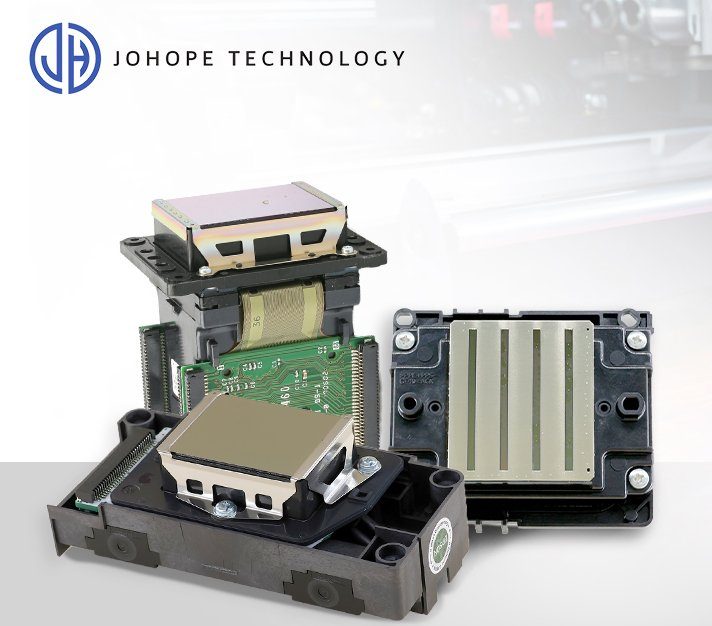
Epson printheads are widely used in digital inkjet printers because they offer a strong balance of print quality, speed, ink compatibility, and cost performance. From DTF and DTG printers to UV flatbed printers, eco-solvent signage printers, sublimation printers, and textile printing systems, different Epson printhead models are designed for different printing needs.
However, choosing the right Epson printhead is not always simple. Many users are unsure about the differences among the Epson I3200-A1, I3200-E1, and I3200-U1. Some want to know which is better, XP600 or I3200, for DTF printing. Others compare Epson with Ricoh, Konica, or Kyocera printheads for UV and industrial applications.
This Epson printhead guide gives you a complete overview of common Epson printhead models, their applications, key differences, maintenance points, and selection advice. It is designed for printer users, dealers, repair technicians, spare parts buyers, and printing businesses that need reliable replacement printheads or compatible printer spare parts.
What Is an Epson Printhead?
A printhead is the core component of an inkjet printer. It controls how ink droplets are ejected onto the printing material. The printhead directly affects image resolution, color accuracy, printing speed, ink consumption, and long-term machine stability.
In a digital printer, the printhead works together with the ink supply system, capping station, damper, ink filter, ink tube, control board, and cleaning system. Even if the printer body is well built, poor printhead condition can still cause banding, missing colors, clogged nozzles, unstable ink flow, or inaccurate output.
Epson printheads are based on micro-piezoelectric inkjet technology. Unlike thermal inkjet systems, piezoelectric printheads use mechanical vibration to eject ink droplets. This makes them compatible with a wider range of ink types, including water-based ink, sublimation ink, pigment ink, eco-solvent ink, UV ink, and DTF ink.
In simple terms, the printhead determines four important things:
| Factor | Why It Matters |
|---|---|
| Resolution | Affects image sharpness and fine details |
| Speed | Affects production efficiency |
| Ink compatibility | Determines whether the printhead can work with water-based, solvent or UV ink |
| Stability | Affects maintenance frequency and printhead lifespan |
Why Epson Printheads Are Widely Used in Inkjet Printers
Epson printheads are popular across many printer categories because they combine precision, flexibility, and relatively accessible replacement cost.
High Printing Precision
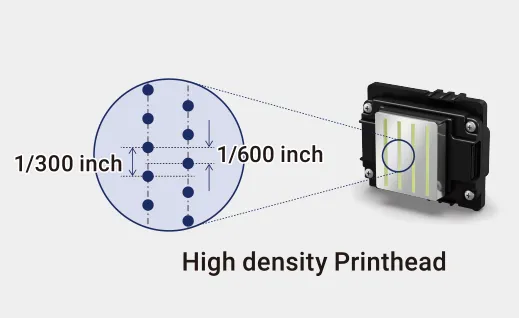
Epson printheads are known for producing fine ink droplets and high-resolution output. This makes them suitable for applications that require detailed graphics, smooth gradients, photo-quality images, or fine text.
For example, DTF printing, garment printing, labels, decals, and customized products all require stable droplet control. A printhead with poor jetting accuracy may create grainy images, color deviation, or blurred edges.
Wide Ink Compatibility
Different Epson printhead models are designed for different ink systems. For example:
- Epson I3200-A1 is commonly used with water-based ink systems.
- Epson I3200-E1 is designed for eco-solvent and mild-solvent printing.
- Epson I3200-U1 is used for UV ink applications.
- XP600 is often used in entry-level DTF, UV, and eco-solvent printers.
- DX5 and DX7 are still found in many older eco-solvent and wide-format printers.
This wide compatibility makes Epson printheads suitable for many printer manufacturers and printing businesses.
Good Cost-Performance Balance
Compared with some high-end industrial printheads, many Epson printheads offer a more affordable solution for small and medium-sized printing businesses. For users who need a balance between image quality, speed and replacement cost, Epson is often a practical choice.
Flexible Application Range
Epson printheads can be found in:
- DTF printers
- DTG printers
- UV flatbed printers
- UV DTF printers
- Eco-solvent printers
- Solvent signage printers
- Sublimation printers
- Textile printers
- Small-format and wide-format printers
- Some industrial inkjet systems
Because of this flexibility, Epson printheads are widely used in both entry-level and professional printing equipment.
Main Epson Printhead Models Overview
There are many Epson printhead models on the market. Some are older classic models, while others are newer industrial or semi-industrial models. The most common ones include I3200, S3200, T3200, DX5, DX7, XP600, 4720, 5113, and I1800.
Epson I3200 Series
The Epson I3200 series is one of the most widely used Epson printhead families in current digital printing equipment. It is commonly used in DTF printers, sublimation printers, eco-solvent printers, UV printers, DTG printers, and textile printing systems.
The three most common versions are:
| Model | Ink Type | Common Applications |
|---|---|---|
| Epson I3200-A1 | Water-based ink | DTF, DTG, sublimation, textile printing |
| Epson I3200-E1 | Eco-solvent / mild-solvent ink | Signage, banners, vehicle graphics, stickers |
| Epson I3200-U1 | UV ink | UV flatbed, UV roll-to-roll, UV DTF, acrylic, glass, metal |
Although these three models belong to the same I3200 family, they are not interchangeable. Each version is designed for a specific ink type and application environment.
For example, I3200-A1 is suitable for water-based inks such as DTF ink, sublimation ink and pigment ink. I3200-E1 is designed for eco-solvent printing, which is common in outdoor advertising and signage. I3200-U1 is built for UV ink systems and is commonly used in UV printers.
Learn more: Epson I3200-A1, I3200-E1, and I3200-U1 Comparison
Epson S3200 Series
The Epson S3200 series is more focused on higher-speed and industrial-level applications. Compared with traditional small-format printheads, S3200 is usually considered for higher production efficiency and more demanding printing environments.
It can be used in applications such as:
- Industrial inkjet printing
- Textile printing
- Packaging printing
- High-speed production lines
- Large-format and high-volume printing systems
For users who need stronger production capacity than entry-level Epson heads, the S3200 can be an important upgrade direction.
Learn more: Epson S3200-A1 Printhead Deep Analysis
Learn more: Epson S3200 Printhead Applications
Epson T3200 Series
The Epson T3200-U3 printhead is positioned for more advanced UV and industrial printing applications. It features PrecisionCore micro-piezoelectric technology, multi-level grayscale variable droplet printing and built-in heating, which helps improve compatibility with higher-viscosity UV ink systems.
T3200-U3 is commonly discussed in UV flatbed and industrial printing environments, especially where users need high precision, stable ink ejection, and flexible color channel configuration.
It can be used for:
- UV flatbed printers
- Industrial UV printing
- High-precision image output
- White ink and CMYK configurations
- Customized industrial applications
Learn more: Epson T3200-U3 Printhead: Functions, Advantages, and Applications
Learn more: Epson T3200 vs Ricoh G6
Epson DX5 and DX7
Epson DX5 and DX7 are classic Epson printheads that have been widely used in eco-solvent printers, photo printers, signage printers, and older wide-format printers.
DX5 is known for high precision and stable performance. It has been used in many solvent and eco-solvent printers. DX7 is also common in later-generation machines and is widely recognized in the advertising printing industry.
These printheads are still important for users who maintain older printers or need replacement parts for existing machines.
Common applications include:
- Eco-solvent printing
- Photo printing
- Indoor and outdoor signage
- Advertising banners
- Wide-format inkjet printers
Learn more: Epson DX5 vs DX7 Printhead: How to Choose?
Learn more: Which Printhead Is Better: Epson DX5 or 5113?
Epson XP600
The Epson XP600 is commonly used in entry-level and cost-sensitive printers. It is often found in small DTF printers, UV printers, and eco-solvent printers.
Compared with the I3200, the XP600 usually has a lower replacement cost, but it may also have lower speed, lower durability, and a shorter service life depending on printer design, ink quality, and maintenance conditions.
XP600 is suitable for:
- Entry-level DTF printers
- Small UV printers
- Small eco-solvent printers
- Low to medium production volume
- Users with a limited budget
For small businesses or beginners, XP600 can be a practical choice. For higher production requirements, I3200-A1 is usually a better option.
Learn more: Epson I3200 vs XP600 Printhead: Which One Is Right for You?
Epson 4720 and 5113
Epson 4720 and 5113 are also common in older or transitional printing systems, especially in water-based printing, sublimation printing, and textile printing.
In many markets, 4720 gradually became a cost-effective alternative to 5113. Later, I3200 became more popular because of its higher productivity and improved stability.
These models are still relevant because many users search for replacement printheads or compare them with the I3200 before upgrading their machines.
Learn more: Full Analysis of Epson 4720, 5113, and I3200 Printhead
Learn more: Differences Between Epson S3200, I3200 and 4720 Printheads
Epson I1800
Epson I1800 is another Epson printhead model used in selected printer systems. It is suitable for specific small-format or application-based machines depending on the printer design and ink system.
Because compatibility depends heavily on the machine, ink system, control board, and printing application, users should confirm the exact printer model before purchasing an I1800 replacement printhead.
Learn more: Epson I1800 Print Head Introduction
Epson Printhead Model Comparison Table
The table below gives a quick overview of common Epson printhead models and their typical applications.
| Epson Printhead Model | Common Ink Type | Common Applications | Suitable For |
|---|---|---|---|
| I3200-A1 | Water-based, DTF, sublimation, pigment | DTF, DTG, sublimation, textile printing | Medium-speed production and water-based systems |
| I3200-E1 | Eco-solvent / mild-solvent | Signage, stickers, vehicle wraps, banners | Outdoor advertising and eco-solvent printers |
| I3200-U1 | UV ink | UV flatbed, UV DTF, acrylic, glass, metal, PVC | UV printing systems |
| S3200 | Various industrial ink systems | Textile, packaging, industrial inkjet | Higher-speed production |
| T3200-U3 | UV / industrial ink systems | UV flatbed, industrial UV printing | Higher-end UV applications |
| DX5 | Eco-solvent / water-based | Signage, photo printing, older machines | Classic wide-format printers |
| DX7 | Eco-solvent / water-based | Signage, advertising, photo printing | Older and mid-range printers |
| XP600 | DTF, UV, eco-solvent | Entry-level DTF / UV / eco-solvent printers | Cost-sensitive users |
| 4720 / 5113 | Water-based, sublimation, DTF | Textile, sublimation, DTF printing | Older or transitional printer models |
| I1800 | Depends on printer design | Selected small-format applications | Specific machine models |
How to Choose the Right Epson Printhead by Application
Choosing an Epson printhead should not be based only on price or model name. The right choice depends on ink type, printer structure, production volume, output quality requirements, and maintenance conditions.
For DTF Printing
DTF printing requires stable ink flow, good white ink performance, fine droplet control, and reliable daily maintenance. Since DTF ink contains pigment particles and white ink circulation can be demanding, the printhead and ink system must work together properly.
Common Epson printheads for DTF printers include:
| Model | Positioning |
|---|---|
| I3200-A1 | Better for medium to higher production volume |
| I1600-A1 | Suitable for smaller DTF printers and lower-cost setups |
| XP600 | Common in entry-level and small desktop DTF printers |
For many DTF users, I3200-A1 is preferred when production speed and stability are important. XP600 is more suitable for beginners or users who need a lower initial cost.
Learn more: Why Is the Epson Printhead Preferred for DTF Printers?
Learn more: Epson I3200 vs XP600 Printhead
For UV Printing
UV printing places higher demands on printhead durability, ink compatibility, and nozzle stability. UV ink has different viscosity and curing characteristics compared with water-based or eco-solvent ink. Using the wrong printhead may cause clogging, unstable jetting, or shorter printhead life.
Common Epson printheads for UV printers include:
- Epson I3200-U1
- Epson T3200-U3
- Epson S3200 series
- XP600 in entry-level UV printers
For higher industrial requirements, users may also compare Epson with Ricoh, Konica, and Kyocera printheads.
Learn more: Differences Between Ricoh Printheads and Epson Printheads for UV Printers
Learn more: Ricoh vs Epson vs Konica UV Printhead
For Eco-Solvent and Solvent Signage Printing
Eco-solvent and solvent printers are widely used for outdoor advertising, banners, stickers, vinyl, vehicle wraps, light box film, and signage materials.
For this application, users usually care about:
- Outdoor durability
- Ink compatibility
- Stable long-term printing
- Replacement cost
- Compatibility with existing printer models
Common Epson options include:
- I3200-E1
- DX5
- DX7
- XP600 in some economic machines
I3200-E1 is suitable for newer eco-solvent systems, while DX5 and DX7 are still important for older wide-format printers.
For Textile Printing
Textile printing includes sublimation, pigment printing, DTG printing, and some direct-to-fabric applications. The right Epson printhead depends on the fabric type, ink type, and production volume.
Common options include:
- I3200-A1 for water-based textile printing
- 4720 / 5113 in older textile and sublimation systems
- S3200 for higher production requirements
- T3200 or industrial heads in selected high-end systems
For textile printing, users should consider not only printhead resolution but also ink compatibility, fabric type, drying system, pretreatment process, and washing fastness requirements.
For Industrial Inkjet Printing
Industrial inkjet printing usually requires higher durability, longer duty cycles, higher production efficiency, and stronger compatibility with production-line requirements.
For this type of application, users may compare the Epson S3200 and T3200 with Ricoh, Konica, Kyocera, or Starfire printheads.
Epson can be a good choice when high precision, flexible configuration, and cost-performance balance are important. Ricoh, Konica, and Kyocera may be considered when the application requires stronger industrial throughput, longer service life, or specialized ink performance.
Learn more: Epson S3200 Printhead vs Kyocera KJ4B QA06 Printhead
Learn more: Epson T3200 vs Ricoh G6
Common Epson Printhead Problems
Even a high-quality printhead can have problems if the ink system, maintenance process, or working environment is not well controlled.
Clogged Nozzles
Clogging is one of the most common Epson printhead problems. It may be caused by dried ink, air bubbles, poor ink quality, pigment particles, long idle time, or improper cleaning.
Common signs include:
- Missing lines in nozzle test
- Color banding
- Weak color output
- Blurred image edges
- Incomplete printing
Deflected Ink Jets
A deflected jet means the ink droplet does not land in the correct position. This can cause fuzzy edges, lines, grainy output, or color misalignment.
Possible causes include:
- Partial nozzle blockage
- Ink contamination
- Incorrect ink viscosity
- Printhead surface contamination
- Improper cleaning
Ink Flow Instability
Ink flow problems are not always caused by the printhead itself. In many cases, the issue may come from other parts of the ink system.
Possible related parts include:
- Ink damper
- Ink filter
- Ink tube
- Capping station
- Ink pump
- Negative pressure system
- Sub tank
- Printhead cable or board system
Before replacing the printhead, it is important to check the full ink supply system.
Printhead Locking
Some Epson printheads may become locked or unusable due to internal chip, board, or usage-related issues. Users often need to identify whether the problem is a real nozzle blockage, an ink system issue, or a locked printhead.
Learn more: How to Identify Whether Your Epson Print Head Is Locked or Not
Epson Printhead Maintenance Tips
Proper maintenance can help reduce downtime, improve output quality, and extend printhead service life.
Use Compatible Ink
Always use ink that matches the printhead type. Do not use UV ink in a water-based printhead or eco-solvent ink in a printhead designed for a different ink system.
For example:
- I3200-A1 should be used with water-based ink systems.
- I3200-E1 should be used with eco-solvent ink systems.
- I3200-U1 should be used with UV ink systems.
Wrong ink selection can cause clogging, poor jetting performance, or printhead damage.
Keep the Ink Supply System Clean
A stable ink supply system is essential for printhead performance. Ink filters, dampers, tubes, and sub tanks should be checked regularly to avoid contamination or air bubbles.
Avoid Long Idle Time
If the printer is not used for a long time, ink may dry inside the nozzles. For DTF, UV, and pigment ink systems, regular maintenance is especially important.
Check the Capping Station and Wiper
The capping station protects the printhead when the printer is idle. The wiper cleans the printhead surface. If these parts are dirty, worn, or damaged, they can cause nozzle blockage or poor cleaning results.
Do Not Over-Clean the Printhead
Excessive cleaning can waste ink and may introduce more bubbles into the ink system. If the nozzle test changes after every cleaning, the problem may be air blockage instead of real clogging.
Use Proper Cleaning Liquid
Different ink systems require different cleaning solutions. A cleaning liquid that works for water-based ink may not be suitable for UV or solvent ink. Using the wrong liquid may damage the printhead.
Learn more: How to Clean a Clogged Epson Printhead
Learn more: Pay Attention to Points When Using Epson I3200-A1 Printhead
FAQ About Epson Printheads
For many DTF printers, the Epson I3200-A1 and XP600 are common choices. I3200-A1 is usually preferred for higher productivity and better stability, while XP600 is often used in entry-level or cost-sensitive DTF printers.
The main difference is ink compatibility. I3200-A1 is mainly used for water-based ink applications such as DTF, DTG, and sublimation. I3200-E1 is designed for eco-solvent or mild-solvent printing. I3200-U1 is designed for UV ink applications.
XP600 is usually more affordable and suitable for entry-level machines. I3200 generally offers better productivity, higher stability, and stronger performance for medium-volume production. The better choice depends on your budget, printer model, and production needs.
Epson I3200-U1, T3200-U3, S3200, and XP600 can be used in different UV printer designs. I3200-U1 and T3200-U3 are more suitable for professional UV applications, while XP600 is often found in entry-level UV printers.
Yes, Epson printheads can be cleaned, but the cleaning method depends on the ink type, clogging level and printer design. Incorrect cleaning may damage the printhead, so it is important to follow the correct procedure.